EasyManua.ls Logo

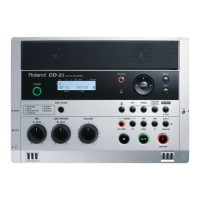
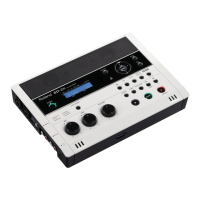
Roland CD-2 - User Manual

Roland CD-2
96 pages
Print Icon
To Next Page IconTo Next Page
Loading...
91-8464 3VT
Owner’s Manual
To resize thickness, move all items on the front cover
and center registration marks to left or right
Before using this unit, carefully read the sections entitled:
“USING THE UNIT SAFELY” and “IMPORTANT NOTES”
(Page 4–5; Page 6–8). These sections provide important
information concerning the proper operation of the unit.
Additionally, in order to feel assured that you have gained a
good grasp of every feature provided by your new unit,
Owner’s Manual should be read in its entirety. The manual
should be saved and kept on hand as a convenient reference.
Copyright © 2005 ROLAND CORPORATION
All rights reserved. No part of this publication may be reproduced in any
form without the written permission of ROLAND CORPORATION
Roland International Web Site: http://www.Roland.com
234
* CompactFlash and are trademarks of SanDisk Corporation and licensed by CompactFlash association.
235
* Roland Corporation is an authorized licensee of the CompactFlash
and CF logo ( ) trademarks.
236
* Fugue
©
2005 Kyoto Software Research, Inc. All rights reserved.

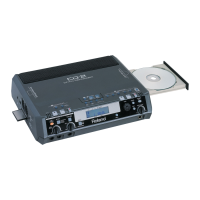
Table of Contents

Other manuals for Roland CD-2

Questions and Answers

  • J
    Juan GrantSep 8, 2025
    Why can’t I record on my Roland Recording Equipment?
    • M
      Madison RobertsSep 8, 2025
      If you are unable to record on your Roland Recording Equipment, make sure the CF card is oriented correctly and pushed all the way into the slot. Also, you can’t record for less than four seconds. Finally, check to see if the maximum recordable time or number of tracks (maximum of 99 tracks) for the card has been exceeded. If there are unwanted tracks on the card, delete them before you continue recording.
  • C
    Christopher SimmonsSep 9, 2025
    Why is there insufficient volume from devices connected to the MIC 1/MIC 2/GUITAR/LINE IN jacks on my Roland Recording Equipment?
    • J
      Julia ReeseSep 10, 2025
      If you're experiencing insufficient volume from a device connected to the MIC 1/MIC 2/GUITAR/LINE IN jacks on your Roland Recording Equipment, you might be using a connection cable that contains an internal resistor. Try using a connection cable that does not contain an internal resistor (such as one from the Roland PCS-series).
  • L
    Lisa PerezSep 12, 2025
    How to resolve insufficient playback volume on Roland Recording Equipment?
    • G
      garciacindySep 12, 2025
      If you're experiencing insufficient playback volume on your Roland Recording Equipment, use CD Mix Level to raise the playback level.
  • D
    Daniel HansenSep 13, 2025
    What to do if the sound recorded via the internal mics is not loud enough on my Roland Recording Equipment?
    • C
      Cindy BooneSep 13, 2025
      If the sound recorded via the internal mics on your Roland Recording Equipment is not loud enough, use Int MIC Gain to raise the input level of the internal mics.
  • O
    oharringtonSep 15, 2025
    How to fix a screen that is difficult to read on Roland Recording Equipment?
    • Y
      ytaylorSep 15, 2025
      If the screen on your Roland Recording Equipment is difficult to read, especially depending on the location or environment, readjust the display contrast.
  • D
    Daniel FullerSep 18, 2025
    What to do if unreadable characters appear on the screen of my Roland Recording Equipment?
    • B
      Benjamin ArnoldSep 18, 2025
      If unreadable characters appear on the screen of your Roland Recording Equipment, the language of the display might be set to “Japanese”. Change the Language setting to “English”.

Summary

Introduction and Safety

Using the Unit Safely

Instructions for preventing fire, shock, injury, and explanation of symbols.

Important Notes

Details on power supply, placement, maintenance, and additional precautions.

Check the Included Items

Lists and illustrates all items included in the CD-2 package.

Main Features

Highlights key features like CD creation, internal mics, and mix-recording.

Panel Descriptions

Describes the top, side, and rear panel layout and controls.

Media Handling

CompactFlash Card Handling

Guidelines for inserting, handling, and caring for CompactFlash cards.

CD-R;RW Disc Handling

Guidelines for handling, cleaning, and caring for CD-R/RW discs.

Connecting Equipment

Connecting Other Equipment

Illustrates connections for guitars, mics, headphones, foot switches, and MIDI.

Cautions When Making Connections

Specific warnings for AC adaptor, cables, and mic connections.

Connecting Condenser Mics

Instructions for connecting and using condenser microphones with phantom power.

Basic Operation

Getting Started

Covers initial setup like power, contrast, volume, and inserting media.

Recording Procedures

Explains different recording methods, settings, and overdubbing.

Playback Operations

Details on playing back CDs and CF cards, including speed, pitch, and repeat functions.

Creating a Music CD

Guides on creating a music CD from CF card tracks and finalization.

Advanced Operation

Other Recording Methods

Advanced recording techniques like metronome, count-in, and auto-start.

More Functions

Covers editing CF cards, tuning, copying CDs, and applying effects.

System Settings

Explains display options, foot switch settings, and output level adjustments.

Appendices and Reference

Troubleshooting

Lists common problems and their solutions for the CD-2.

Reference Lists

Includes messages, effect patch list, menu list, and specifications.

Service and Compliance

Roland Service Information

Contact information for Roland service centers worldwide for repairs.

Regulatory Compliance

FCC, Canadian, and EU compliance statements for the device.

Roland CD-2 Specifications

General IconGeneral
TypeCD Recorder
Recording MediaCD-R, CD-RW
Sampling Rate44.1 kHz
Bit Depth16-bit
A/D Conversion24-bit
D/A Conversion24-bit
Analog Outputs2 x RCA (L/R)
Digital Inputs1 x Optical
Digital Outputs1 x Optical
Remote ControlIncluded
Analog Inputs2 x RCA (L/R)

Related product manuals