EasyManua.ls Logo

Roland CD-2u - User Manual

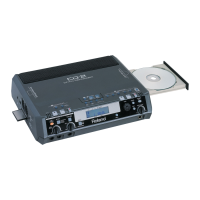
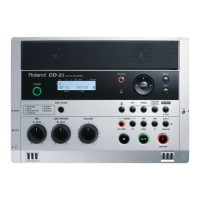
Roland CD-2u
140 pages
Print Icon
To Next Page IconTo Next Page
Loading...
Owner’s Manual
Copyright © 2013 ROLAND CORPORATION
All rights reserved. No part of this publication may be reproduced in any form
without the written permission of ROLAND CORPORATION.
Before using this unit, carefully read the sections entitled “USING THE UNIT
SAFELY” and “IMPORTANT NOTES” (Page 8–11; Page 12–13). These sections
provide important information concerning the proper operation of the unit.
Additionally, in order to feel assured that you have gained a good grasp of
every feature provided by your new unit, read Owner’s Manual in its entirety.
This manual should be saved and kept on hand as a convenient reference.
Selecting English, German, French, Italian, Spanish, or Japanese as the operating language.
Page 117
This owner’s manual applies to both the CD-2u and the SD-2u.
A icon or icon will be used to mark explanations that pertain
only to a specific model.
CD-2u_SD-2u_e.book 1 ページ 2013年1月24日 木曜日 午前11時34分

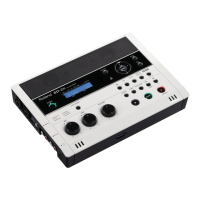
Table of Contents

Questions and Answers

  • S
    Spencer OlsonJul 30, 2025
    What to do if the screen goes dark on my Roland Recording Equipment?
    • M
      Mr. John Reid PhDJul 31, 2025
      If the screen on your Roland Recording Equipment dims, especially when using batteries, the Backlight Timer setting might be the cause. To prevent this, turn the Backlight Timer “Off.”
  • M
    Michelle CarrollAug 8, 2025
    Why are there unreadable characters on my Roland Recording Equipment screen?
    • D
      Dana SandersAug 9, 2025
      If unreadable characters appear on the screen of your Roland Recording Equipment, you may have selected the wrong screen display language. To fix this, select the appropriate language in the settings.
  • N
    Nathan BoydAug 19, 2025
    Why won't my Roland Recording Equipment turn on?
    • M
      Michael JohnsonAug 19, 2025
      If your Roland Recording Equipment isn't powering on, several factors could be at play. First, ensure you're using the dedicated AC adapter included with the device. Also, check that the AC adapter plug is securely connected to both the device and the power outlet. If you're relying on battery power, they might be too low, so try installing fresh batteries. Finally, verify that the batteries are correctly oriented according to the “+” and “-” markings.

Summary

Using the Unit Safely

Important Notes

Power Supply and Battery Usage

Important information regarding power sources and battery usage.

Panel Descriptions

Top Panel Controls

Detailed description of the controls on the top surface of the unit.

Recordable Media and Functionality

Media Types and Differences

Overview of SD cards, CD-R, and CD-RW media, and their functional differences.

Turning the Power On and Off

Powering Methods

Using the AC adaptor or batteries to turn the unit on and off.

Preparing an SD Memory Card

SD Card Insertion and Protection

Steps for inserting an SD card and using its write-protect feature.

Preparing a CD

CD Insertion, Removal, and Finalization

Steps for inserting, removing, and finalizing CD discs.

Recording Acoustic Instruments or Vocals

Recording with Internal Microphones

How to record using the unit's built-in stereo microphones.

Roland CD-2u Specifications

General IconGeneral
Product colorBlack
XLR inYes
Headphone outputs1
Sample rate44.1 kHz
Audio quality24 bit
Frequency range20 - 20000 Hz
Weight and Dimensions IconWeight and Dimensions
Weight1400 g
Dimensions (WxDxH)278 x 196 x 55 mm

Related product manuals