104
Dividing a Track
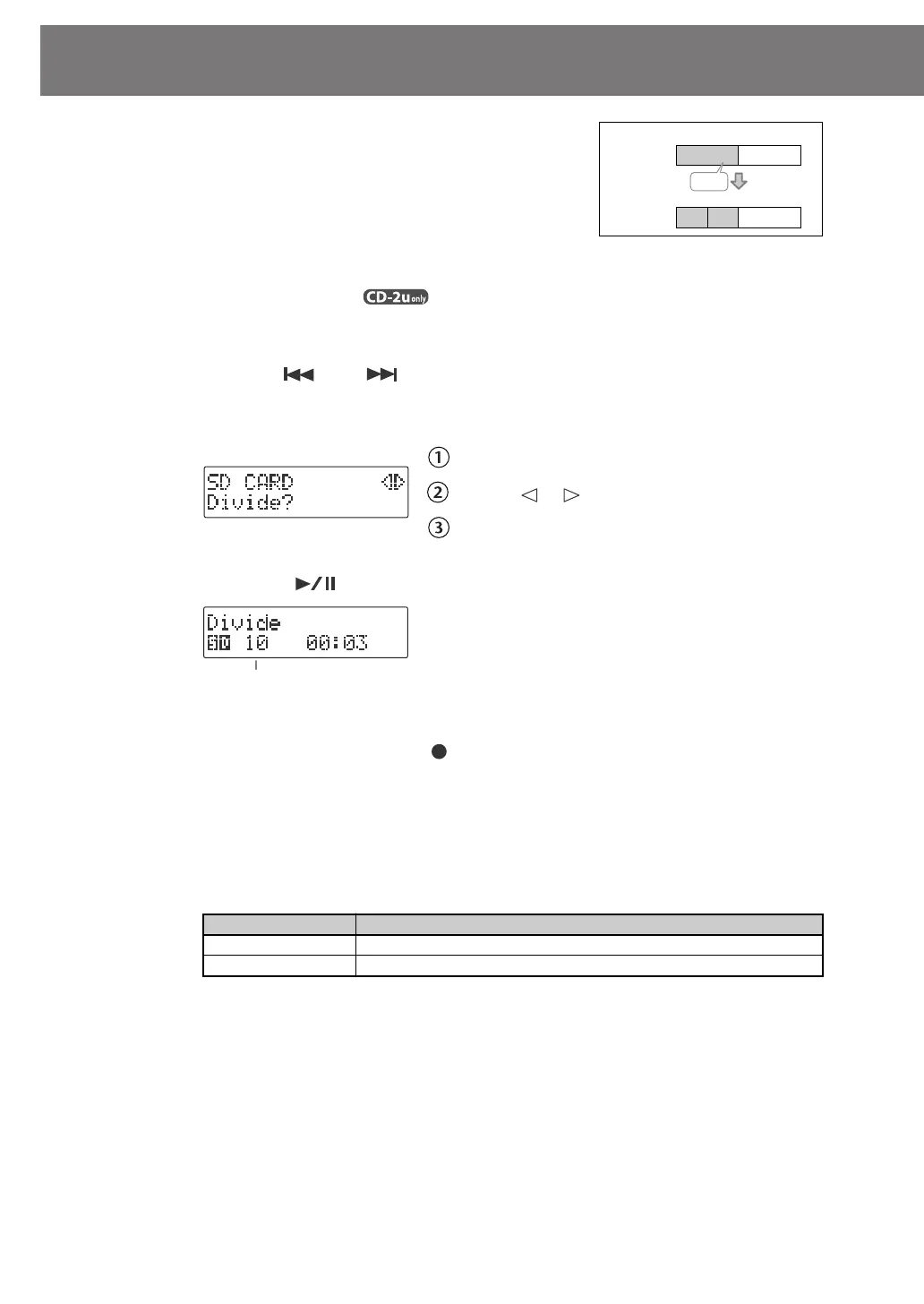
This operation divides a song into two songs.
1
Insert the SD memory card that you want to edit, and press the
[SD CARD] button .
SD becomes the audio source.
2
Use the [ ] or [ ] button to select the track you want to edit.
3
Press the [MENU] button to access the menu screen, and choose “Divide?”
fig.menu-divide01-e.eps
Press the [MENU] button to access the menu screen.
Use the [ ] [ ] buttons to choose “Divide?”
Press the [ENTER] button to confirm your choice.
4
Press the [ ] (Play) button to play back the selected song.
fig.menu-divide02-e.eps
5
At the approximate location at which you want to divide the song (the
dividing point), press the [ ] (Record) button.
(If the song is long, you can fast-forward until you’re near the desired point.)
The four seconds starting immediately before the dividing point will be played
repeatedly.
6
Use the [+] [-] buttons to make detailed adjustments to the dividing point.
7
Press the [ENTER] button.
Button
Explanation
[+] button
Moves the Dividing Point forward.
[-] button Moves the Dividing Point backward.
Track
Number
12
1
Divide
2
AB
3
B
A A”
Track
Number
Number of the track you’re editing
CD-2u_SD-2u_e.book 104 ページ 2013年1月24日 木曜日 午前11時34分




 To Next Page