49
Other Features
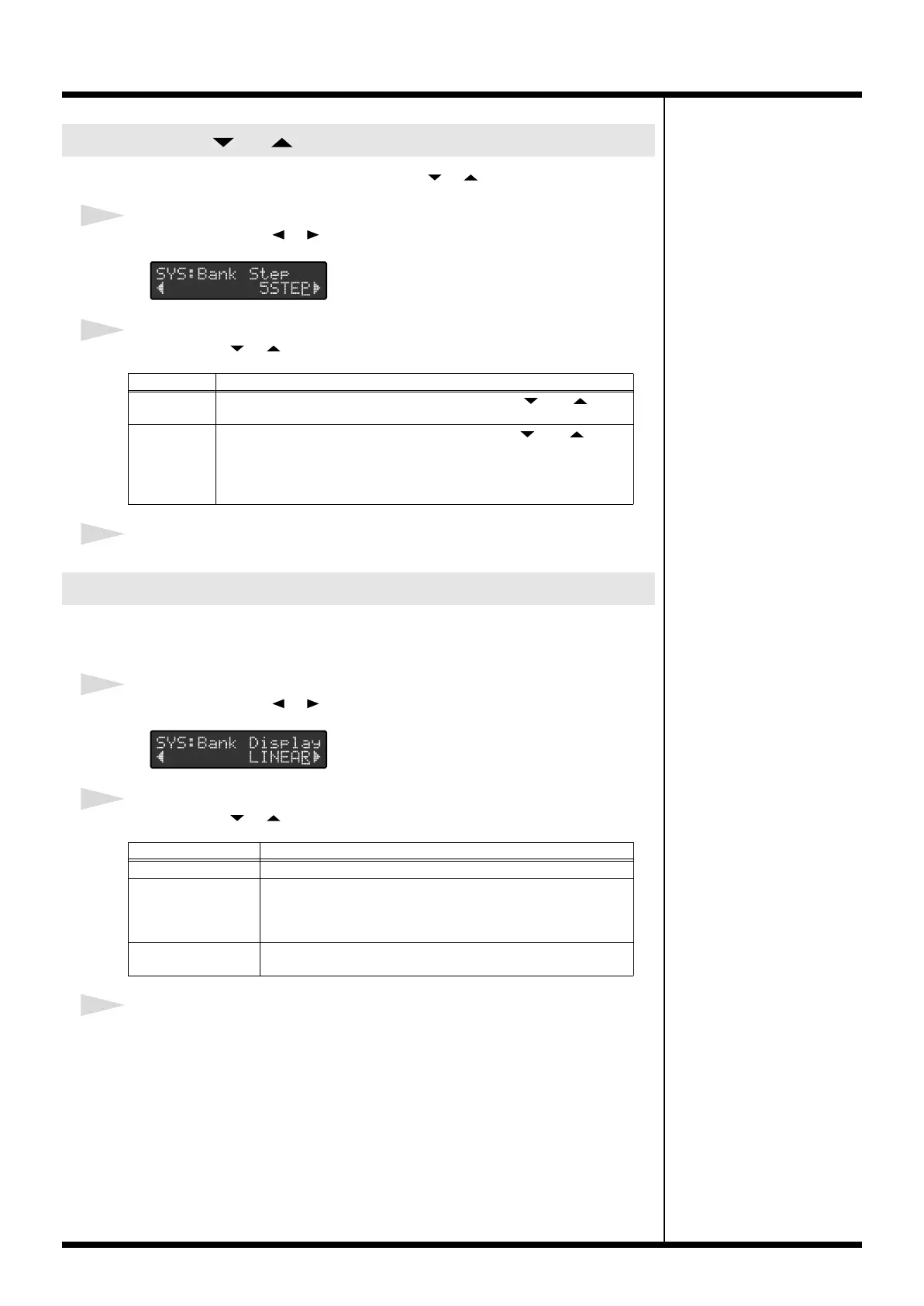
You can set the size of the step made when the [ ] [ ] pedals are pressed.
1
Press PARAMETER [ ] [ ] to select “SYS:Bank Step.”
2
Press VALUE [ ] [ ] to make the setting.
3
When you’ve finished making the settings, press [UTILITY] or [EXIT].
You can select the way numbers are indicated in Standard Mode to match that of the
connected device.
1
Press PARAMETER [ ] [ ] to select “SYS:Bank Display.”
2
Press VALUE [ ] [ ] to make the setting.
3
When you’ve finished making the settings, press [UTILITY] or [EXIT].
Setting the [ ] [ ] Pedal Step Size
Value
Explanation
5STEP
The number decreases or increases by five each time [ ] or [ ] is
pressed.
10STEP The number decreases or increases by ten each time [ ] or [ ] is
pressed. Additionally, each time a number pedal is pressed, that pedal’s
number is switched.
Example) When “012” is indicated in BANK/NUMBER display, pressing
number pedal 2/7 switches it to “017.”
Setting How Numbers are Indicated
Value
Explanation
LINEAR
The bank and number are indicated as a single decimal number.
BANK&NUM The bank and number are indicated as separate numbers. A dot
is displayed between the bank and number.
Example) The number indicated in LINEAR as “001” appears as
“01.1” with BANK&NUM.
FC-200 The numerals are indicated in the same way as with BANK &
NUM, but with the banks beginning with “00” in the display.
FC-300_e1.book 49 ページ 2007年4月24日 火曜日 午前10時10分



 To Next Page