52
Other Features
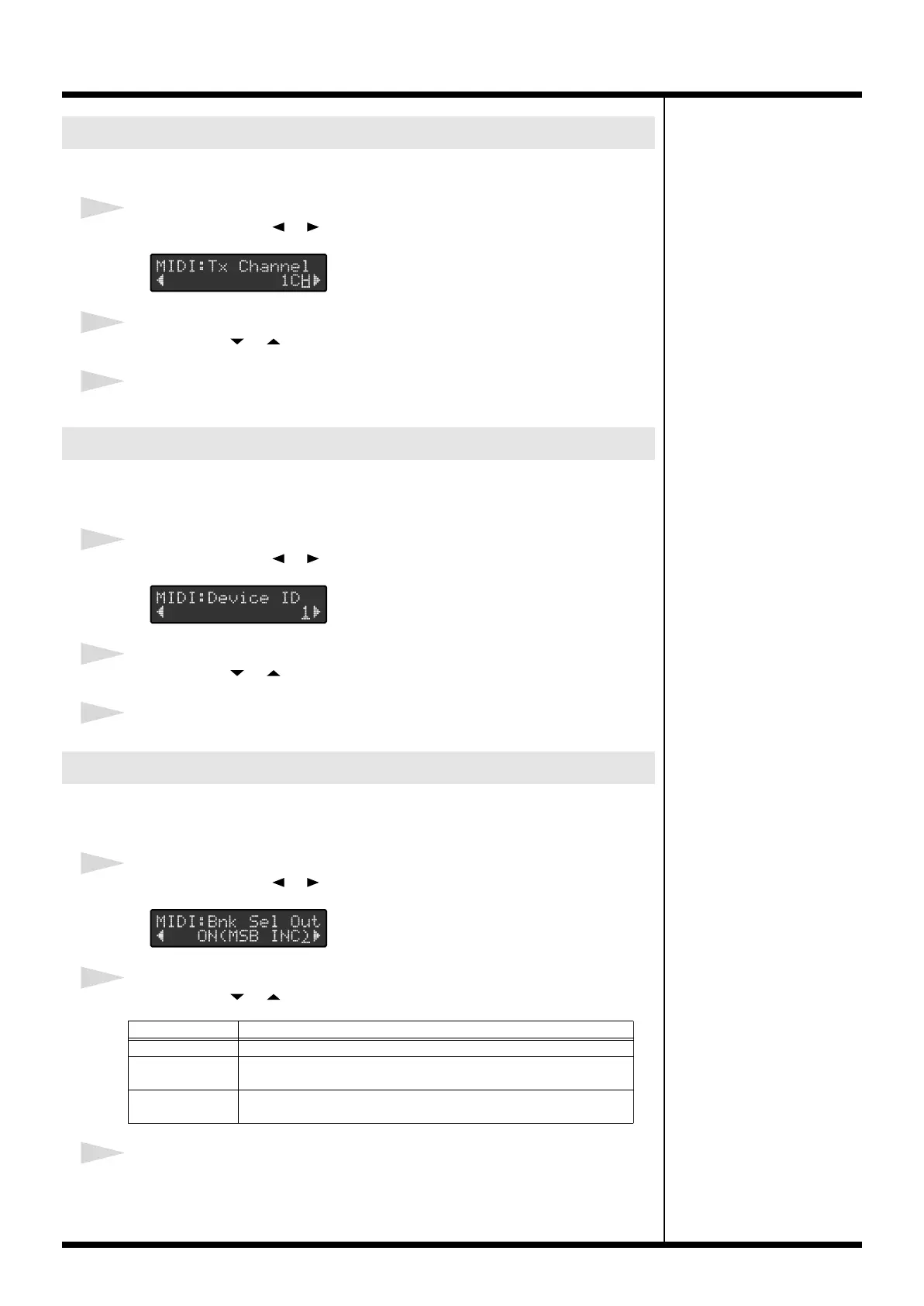
This sets the Transmit Channel of the MIDI messages.
1
Press PARAMETER [ ] [ ] to select “MIDI:Tx Channel.”
2
Press VALUE [ ] [ ] to set the transmit channel.
3
When you’ve finished making the settings, press [UTILITY] or [EXIT].
This sets the Device ID used for transmitting and receiving system exclusive
messages.
1
Press PARAMETER [ ] [ ] to select “MIDI:Device ID.”
2
Press VALUE [ ] [ ] to set the Device ID.
3
When you’ve finished making the settings, press [UTILITY] or [EXIT].
This setting determines whether or not Bank Select messages as well as Program
Change messages are transmitted in Standard Mode.
1
Press PARAMETER [ ] [ ] to select “MIDI:Bnk Sel Out.”
2
Press VALUE [ ] [ ] to make the setting.
3
When you’ve finished making the settings, press [UTILITY] or [EXIT].
Setting the MIDI Transmit Channel
Setting the Device ID
Setting the Bank Select Output
Value
Explanation
OFF
Bank Select messages are not transmitted.
ON (MSB INC) The Bank Select (MSB) message is incremented (or decremented) by
one when the Program Change is incremented (or decremented).
ON (LSB INC) The Bank Select (LSB) message is incremented (or decremented) by
one when the Program Change is incremented (or decremented).
FC-300_e1.book 52 ページ 2007年4月24日 火曜日 午前10時10分



 To Next Page