EasyManua.ls Logo

Roland GI-10 - Parameter Selection; Divided Pickup Sensitivity Adjustment

Roland GI-10
30 pages
Print Icon
To Next Page IconTo Next Page
To Previous Page IconTo Previous Page
Loading...
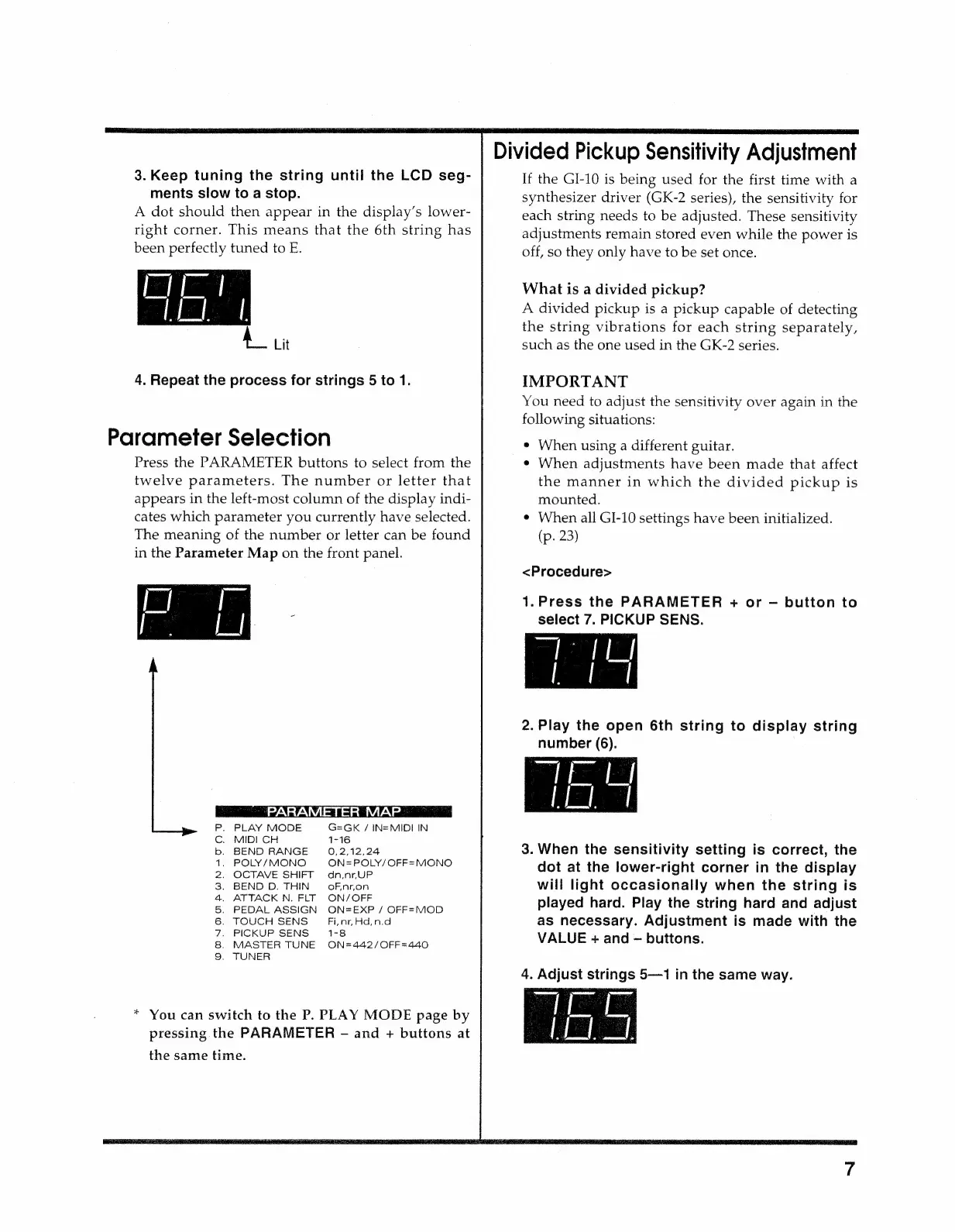
3.
Keep
tuning
the
string
until
the
LCD
seg-
ments
slow
to
a
stop.
A
dot
should
then
appear
in
the
display’s
lower-
right
corner.
This
means
that
the
6th
string
has
been
perfectly
tuned
to
E.
Ait
4.
Repeat
the
process
for
strings
5
to
1.
Parameter
Selection
Press
the
PARAMETER
buttons
to
select
from
the
twelve
parameters.
The
number
or
letter
that
appears
in
the
left-most
column
of
the
display
indi-
cates
which
parameter
you
currently
have
selected.
The
meaning
of
the
number
or
letter
can
be
found
in
the
Parameter
Map
on
the
front
panel.
P.
PLAY
MODE
G=eGK
/
IN=MIDI
IN
Cc.
MIDI
CH
1-16
b.
BEND
RANGE
0,2,12,24
1.
POLY/MONO
ON=POLY/OFF=MONO
2.
OCTAVE
SHIFT
dn,nr,UP
3.
BEND
D.
THIN
oF,nron
4.
ATTACK
N.
FLT
ON/OFF
5.
PEDAL
ASSIGN
ON=EXP
/
OFF=MOD
6.
TOUCH
SENS
Fi,
nr,
Hd,
n.d
7.
PICKUP
SENS
1-8
8.
MASTER
TUNE
ON=442/OFF=440
9.
TUNER
*
You
can
switch
to
the
P,
PLAY
MODE
page
by
pressing
the
PARAMETER
-
and
+
buttons
at
the
same
time.
Divided
Pickup
Sensitivity
Adjustment
If
the
GI-10
is
being
used
for
the
first
time
with
a
synthesizer
driver
(GK-2
series),
the
sensitivity
for
each
string
needs
to
be
adjusted.
These
sensitivity
adjustments
remain
stored
even
while
the
power
is
off,
so
they
only
have
to
be
set
once.
What
is
a
divided
pickup?
A
divided
pickup
is
a
pickup
capable
of
detecting
the
string
vibrations
for
each
string
separately,
such
as
the
one
used
in
the
GK-2
series.
IMPORTANT
You
need
to
adjust
the
sensitivity
over
again
in
the
following
situations:
e
When
using
a
different
guitar.
¢
When
adjustments
have been
made
that
affect
the
manner
in
which
the
divided
pickup
is
mounted.
e
When
all
GI-10
settings
have
been
initialized.
(p.
23)
<Procedure>
1.Press
the
PARAMETER
+
or
button
to
select
7.
PICKUP
SENS.
2.
Play
the
open
6th
string
to
display
string
number
(6).
3.
When
the
sensitivity
setting
is
correct,
the
dot
at
the
lower-right
corner
in
the
display
will
light
occasionally
when
the
string
is
played
hard.
Play
the
string
hard
and
adjust
as
necessary.
Adjustment
is
made
with
the
VALUE
+
and
buttons.
4.
Adjust
strings
5—1
in
the
same
way.

Related product manuals