EasyManua.ls Logo

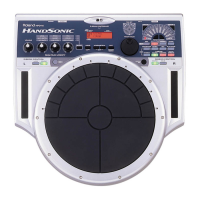
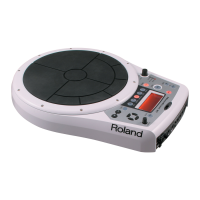
Roland HandSonic 10 - User Manual

Roland HandSonic 10
56 pages
Print Icon
To Next Page IconTo Next Page
Loading...
04129645 06-04-2N
*04129645 - 02*

Other manuals for Roland HandSonic 10

Questions and Answers

  • A
    Amber HallAug 17, 2025
    Why has the overall sound of a kit changed on my Roland HandSonic 10?
    • R
      Rachel DiazAug 18, 2025
      To address a changed overall sound of a kit on your Roland Musical Instrument, remember that using the Control Knob to modify Tuning, Muffling, or Effects, and changing kits without executing UNDO, you rewrite various parameters in that kit.
  • R
    Regina RodriguezAug 20, 2025
    What to do if there is no sound on my Roland HandSonic 10 Musical Instrument?
    • M
      Maria ChaneyAug 20, 2025
      Double-check all audio connections and volume controls on the HandSonic 10 or any external amplifier you are using.
  • M
    Melissa AlvaradoAug 22, 2025
    How to fix 'MIDI offline!' error on my Roland Musical Instrument?
    • C
      Christine BowenAug 22, 2025
      Verify the MIDI connections and cables to ensure they are properly connected. A disconnected MIDI cable or an interruption in communication with an external MIDI device can cause this issue.
  • K
    Karla KochAug 25, 2025
    Why do I still hear reverb when the [EFFECT] button is off on my Roland HandSonic 10 Musical Instrument?
    • D
      David SmithAug 26, 2025
      If the [EFFECT] button is off but you still hear reverb on your Roland Musical Instrument, check the display to see if AMBIENCE is still ON. To turn it off, hold the [SHIFT] button and press the [EFFECT] button.
  • B
    Bobby AlexanderAug 27, 2025
    What does 'midi buf full!' mean on my Roland HandSonic 10 Musical Instrument and how to fix it?
    • B
      Brian HodgeAug 28, 2025
      Verify the connections and the type of MIDI information you are sending to your Roland Musical Instrument. This error occurs when too much MIDI information is received at once and cannot be processed correctly.
  • C
    coffeycathyAug 30, 2025
    Why does my Roland HandSonic 10 foot switch seem to work backwards?
    • M
      Monique ThompsonAug 30, 2025
      When using foot switches with your Roland Musical Instrument, if you hear the sound when releasing your foot, it means you need to switch the POLARITY or you have not set the correct TYPE of external.
  • S
    Stephanie HollandSep 1, 2025
    What does 'bulk rx error!' mean on my Roland HandSonic 10 Musical Instrument and how to solve it?
    • F
      Fernando SuttonSep 1, 2025
      Re-transmit the message again to your Roland Musical Instrument. If the problem persists, there may be an issue with the data being transmitted.
  • A
    Antonio BrownSep 4, 2025
    Why do I hear a sound when changing from one kit to another on my Roland Musical Instrument?
    • L
      lucerokariSep 4, 2025
      If you play a cymbal sound and then change the kit while you can still hear that sound, the effects assigned to the new kit will be applied to that last sound.
  • K
    kellybensonSep 6, 2025
    Why am I experiencing tempo problems with the style guide metronome on my Roland HandSonic 10 Musical Instrument?
    • E
      Evelyn MyersSep 7, 2025
      Remember there is a Tempo Change parameter that determines if the patterns play back at their own individual, pre-set tempos, or at the tempo set by the Roland Musical Instrument.
  • J
    Jeffrey CaseySep 9, 2025
    What to do if I see 'battery low!' on my Roland HandSonic 10 Musical Instrument?
    • W
      williamsonamberSep 9, 2025
      Contact your dealer or Roland service to have the internal battery replaced. This battery is used for maintaining data in the user memory of your Roland Musical Instrument.

Roland HandSonic 10 Specifications

General IconGeneral
TypeElectronic Hand Percussion
Pads10
Kits50
DisplayBacklit LCD
ConnectivityUSB, MIDI
Outputs2 x 1/4" (L/Mono, R)
Power SupplyAC Adapter or 6 x AA Batteries
Polyphony64 voices

Related product manuals