61
Chapter 6. Pattern Editing
1.
Go to the Pattern Play screen (p. 15).
2.
Turn the VALUE dial or use [DEC][INC] to select the pattern you want
to edit.
You can also choose a pattern from the pattern list (p. 24).
3.
Press [F2] (EDIT) to get the PATTERN EDIT screen.
4.
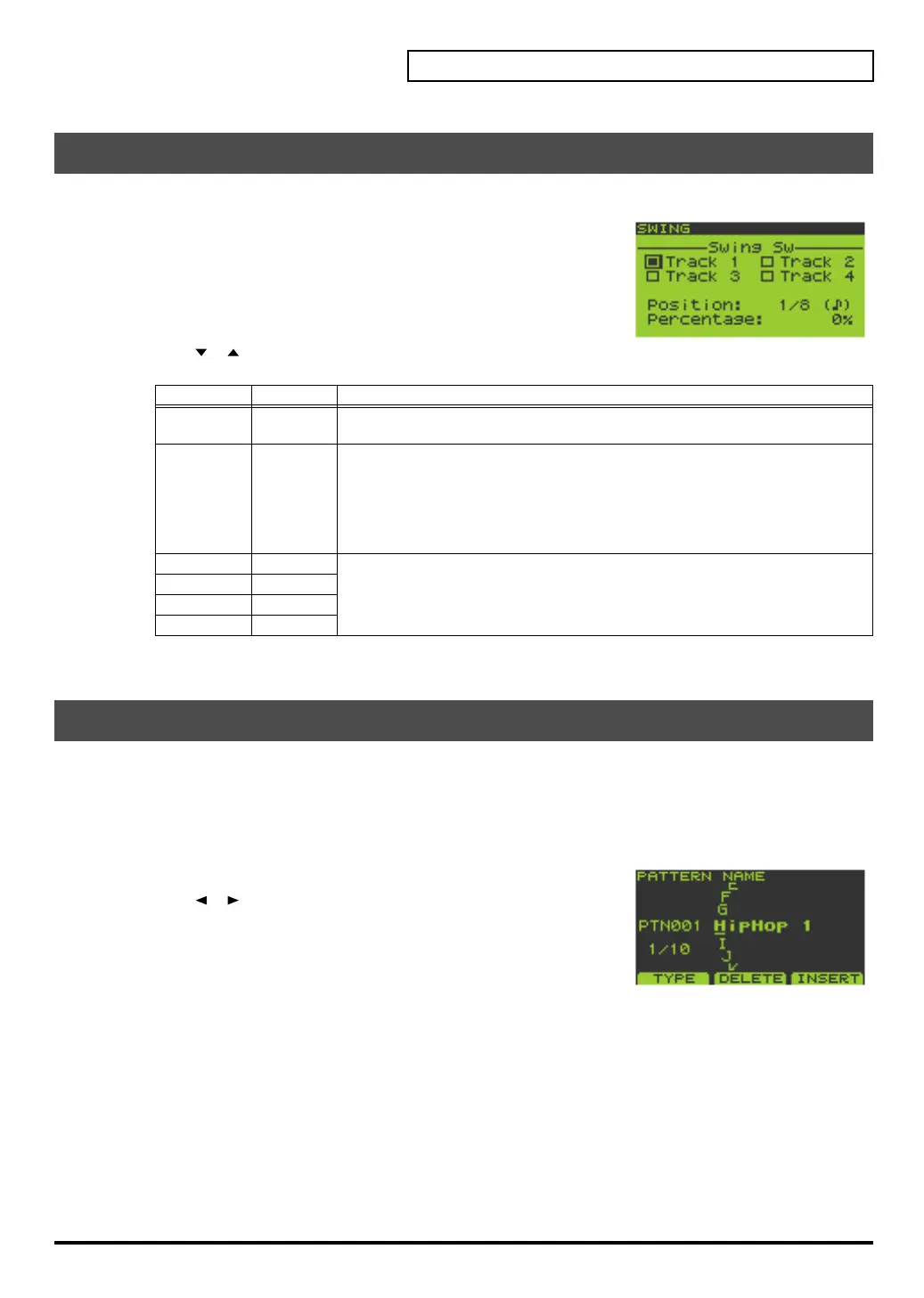
Press [F2] (SWING) to get the SWING screen.
5.
Use [ ][ ] to select the parameter you want to edit.
Turn the VALUE dial or use [DEC][INC] to edit the parameter value.
6.
Press [EXIT] to return to the PATTERN EDIT screen.
1.
Go to the Pattern Play screen (p. 15).
2.
Turn the VALUE dial or use [DEC][INC] to select the pattern you want to edit.
You can also choose a pattern from the pattern list (p. 24).
3.
Press [F2] (EDIT) to get the PATTERN EDIT screen.
4.
Press [F3] (NAME) to get the PATTERN NAME screen.
5.
Use [ ][ ] to move the cursor to the character you want to
change, and turn the VALUE dial or use [DEC][INC] to change the
character.
Press [F1] (TYPE) to switch between uppercase/lowercase/numerals.
Press [F2] (DELETE) to delete the character at the cursor location.
Press [F3] (INSERT) to insert a space at the cursor location.
6.
Press [ENTER] to update the name of the pattern.
If you decide to cancel, press [EXIT].
Changing the Groove of a Pattern (SWING)
Parameter Value Explanation
Position 8th notes,
16th notes
Specifies the swing timing as a note value.
Percentage 0%–100% Specifies how far the backbeats (relative to the notes specified by Position) will be
shifted away from the downbeats. Shifting the timing of the backbeats will pro-
duce a sense of “swing.”
0%
: The backbeats will be at the same timing as the downbeats.
50%
: The backbeats will be exactly between the adjacent downbeats.
100%
: The backbeats will be at the same timing as the preceding downbeat.
Track 1 OFF, ON Specifies whether swing will be applied to each track.
*
The check mark means that swing will be applied.
Track 2 OFF, ON
Track 3 OFF, ON
Track 4 OFF, ON
Naming a Pattern
SP-606_e.book 61 ページ 2004年6月21日 月曜日 午前10時8分


 To Next Page
 Loading...