71
Chapter 8. Using a Memory Card
This operation deletes the specified set of backup data (all settings of the SP-606, including the samples, pad
banks, patterns, and songs) from a memory card.
1.
In the CARD UTILITY screen, use [ ][ ] to move the cursor to the
“Backup Delete” line.
2.
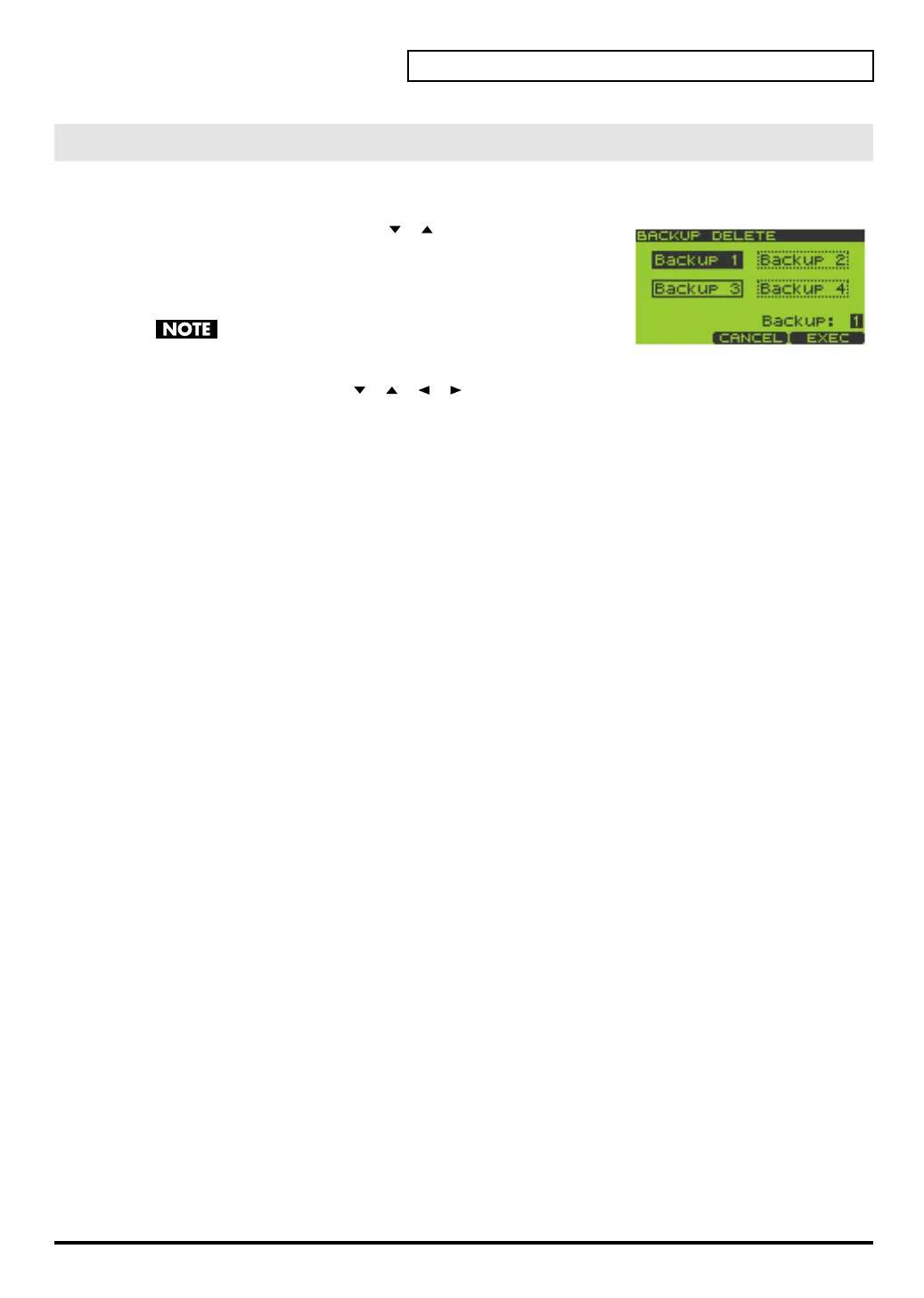
Press [ENTER] to get the BACKUP DELETE screen.
Empty backup data sets are displayed as dotted lines.
If a memory card is not inserted, the message “Card Not
Ready!” will appear.
3.
Turn the VALUE dial or use [ ][ ][ ][ ][DEC][INC] to select 1–4 as the “Backup” setting.
This selects the backup set that will be deleted.
4.
Press [F3] (EXEC) to delete the selected backup set.
If you decide to cancel, press [F2] (CANCEL).
BACKUP DELETE
SP-606_e.book 71 ページ 2004年6月21日 月曜日 午前10時8分


 To Next Page
 Loading...