EasyManua.ls Logo

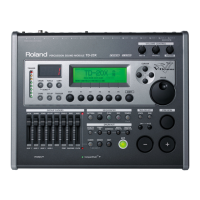
Roland TD-25 - User Manual

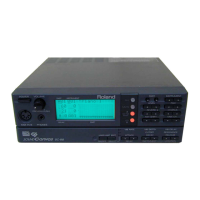
Roland TD-25
16 pages
Print Icon
To Next Page IconTo Next Page
Loading...
Owners Manual (this document)
Read this rst. It explains the basic things you need to know in order to use
the TD-25.
PDF Manual (download from the Web)
5 Parameter Guide
This explains all parameters of the TD-25.
5 Sound List
This is a list of the sounds built into the TD-25.
To obtain the PDF manual
1. Enter the following URL in your computer.
http://www.roland.com/manuals/
I
2. Choose “TD-25” as the product name.
Deutsch
Français Italiano Español
Português
Nederlands
EnglishEnglish
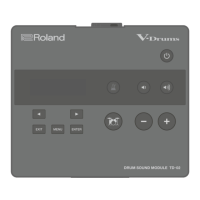
TD-25
V-Drums Sound Module
Copyright © 2015 ROLAND CORPORATION
Before using this unit, carefully read “USING THE UNIT SAFELY” and “IMPORTANT NOTES” (leaet “USING THE UNIT SAFELY” and Owners Manual (p. 16)). After reading, keep the document(s) including those sections where it will be available for immediate reference.
Contents
Panel Descriptions . . . . . . . . . . . . . . . . . . . . . . . . . . . . . . . . . . . . 2
Top Panel . . . . . . . . . . . . . . . . . . . . . . . . . . . . . . . . . . . . . . . . . . . 2
Connecting Your Equipment . . . . . . . . . . . . . . . . . . . . . . . . . . . 3
Rear Panel . . . . . . . . . . . . . . . . . . . . . . . . . . . . . . . . . . . . . . . . . . 3
Turning the Power On/O . . . . . . . . . . . . . . . . . . . . . . . . . . . . 3
About Performance Techniques . . . . . . . . . . . . . . . . . . . . . . . 4
Playing the Drums . . . . . . . . . . . . . . . . . . . . . . . . . . . . . . . . . . . . . 5
Selecting a Drum Kit . . . . . . . . . . . . . . . . . . . . . . . . . . . . . . . . . 5
Checking the Sounds . . . . . . . . . . . . . . . . . . . . . . . . . . . . . . . . 5
Editing Sounds . . . . . . . . . . . . . . . . . . . . . . . . . . . . . . . . . . . . . . . . 6
Changing the Sounds (Instrument) . . . . . . . . . . . . . . . . . . . . 6
Adjusting the Instrument . . . . . . . . . . . . . . . . . . . . . . . . . . . . . 6
Canceling the Changes (Undo) . . . . . . . . . . . . . . . . . . . . . . . . 6
Playing with the Click . . . . . . . . . . . . . . . . . . . . . . . . . . . . . . . . . . 7
Using Time Check Function . . . . . . . . . . . . . . . . . . . . . . . . . . . . 7
Recording Your Performance . . . . . . . . . . . . . . . . . . . . . . . . . . 8
Playing a Song . . . . . . . . . . . . . . . . . . . . . . . . . . . . . . . . . . . . . . . . 8
Record Your Performance with a Song . . . . . . . . . . . . . . . . . 9
Connecting to Your Computer/iPad . . . . . . . . . . . . . . . . . . . . 9
Edit Menu Operations . . . . . . . . . . . . . . . . . . . . . . . . . . . . . . . . . 10
Kit Edit . . . . . . . . . . . . . . . . . . . . . . . . . . . . . . . . . . . . . . . . . . . . . 10
Setup . . . . . . . . . . . . . . . . . . . . . . . . . . . . . . . . . . . . . . . . . . . . . . 10
Optimizing the Pads . . . . . . . . . . . . . . . . . . . . . . . . . . . . . . . . . . . 11
Changing the Type of Pad . . . . . . . . . . . . . . . . . . . . . . . . . . . . 11
Adjusting the Sensitivity of the Pad . . . . . . . . . . . . . . . . . . . . 11
Calibrating the Hi-Hat . . . . . . . . . . . . . . . . . . . . . . . . . . . . . . . . . 11
Saving a Backup . . . . . . . . . . . . . . . . . . . . . . . . . . . . . . . . . . . . . . . 12
Loading a Backup . . . . . . . . . . . . . . . . . . . . . . . . . . . . . . . . . . . . . 12
Deleting a Backup . . . . . . . . . . . . . . . . . . . . . . . . . . . . . . . . . . . . . 13
Formatting a USB Flash Drive . . . . . . . . . . . . . . . . . . . . . . . . . . 13
Changing the Auto-O Setting . . . . . . . . . . . . . . . . . . . . . . . . 14
Restoring the Factory Settings . . . . . . . . . . . . . . . . . . . . . . . . . 14
Troubleshooting . . . . . . . . . . . . . . . . . . . . . . . . . . . . . . . . . . . . . . 15
Main Specications . . . . . . . . . . . . . . . . . . . . . . . . . . . . . . . . . . . . 15
USING THE UNIT SAFELY . . . . . . . . . . . . . . . . . . . . . . . . . . . . . . . 16
IMPORTANT NOTES . . . . . . . . . . . . . . . . . . . . . . . . . . . . . . . . . . . . 16

Other manuals for Roland TD-25

Questions and Answers

  • A
    alexandra03Aug 13, 2025
    What to do if a specific pad does not sound on my Roland Drums?
    • S
      Scott SmithAug 13, 2025
      If a specific pad on your Roland Drums isn't producing sound, try adjusting the instrument’s “LEVEL.” Also, check the connections to ensure they are secure.
  • M
    Melissa PalmerAug 17, 2025
    What to do if the click/song/audio input does not sound on my Roland Drums?
    • J
      juancookAug 17, 2025
      If the click, song, or audio input isn't audible on your Roland Drums, adjust the volume to an appropriate level.
  • J
    Jill WagnerAug 20, 2025
    Why is there no sound coming from my Roland Drums?
    • R
      Raven OchoaAug 20, 2025
      If you're not getting any sound from your Roland Drums, start by checking all the connections and try using a different cable. If you hear sound in the headphones, the issue is likely with the connection cables or the connected amp or speaker. Ensure the volume is at an appropriate level and verify your audio system. Also, make sure that “Local Control” is set to “ON”.
  • K
    Keith HillAug 25, 2025
    What to do if my Roland Drums USB flash drive is connected but not recognized?
    • J
      Jeremiah FloresAug 25, 2025
      If your Roland Drums don't recognize the connected USB flash drive, ensure it's correctly connected. Try formatting the USB flash drive on the device. Place the files in the top level (root) of the USB flash drive. For best results, use Roland USB Flash Memory, as operation with other products isn't guaranteed.
  • S
    Scott ThompsonAug 28, 2025
    What to do if I can't communicate with a computer using my Roland Drums?
    • J
      James PetersAug 28, 2025
      If you're having trouble connecting your Roland Drums to a computer, check the connections first. Make sure the USB driver is installed on your computer, unless you're only using USB MIDI, in which case it's not needed. Choose the appropriate setting for your situation and restart the TD-25 after changing the setting.
  • R
    robertbassSep 1, 2025
    Why can’t I play MP3/WAV files on my Roland Drums?
    • E
      elizabeth79Sep 1, 2025
      If you're unable to play MP3 or WAV files on your Roland Drums, ensure that you are using MP3/WAV files that the product supports.
  • R
    Robert WellsSep 4, 2025
    How to fix display contrast on Roland Drums?
    • E
      eblackSep 4, 2025
      To fix inconsistent display contrast on your Roland Drums, adjust the “LCD Contrast” setting to reduce the inconsistency.
  • B
    Benjamin MeyersSep 8, 2025
    What to do if I can’t save data on my Roland Drums?
    • T
      Tiffany MccoySep 9, 2025
      If you're unable to save data on your Roland Drums, either delete unneeded files or use a different USB flash drive.

Summary

Panel Descriptions

Top Panel

Explains the layout and functions of the controls on the top surface of the TD-25.

Connecting Your Equipment

Rear Panel

Details the various input and output jacks and ports located on the rear of the TD-25 unit.

Turning the Power On;Off

Turning the Power On

Procedure for safely powering on the TD-25 and connected audio equipment.

About Performance Techniques

Snare;toms

Describes techniques for playing snare and tom pads, including head shot, rim shot, and cross stick.

Cymbals

Explains cymbal playing techniques like bow shot, edge shot, bell shot, and choke play.

Hi-hat

Details hi-hat playing techniques, covering open/close and bow/edge shots.

Playing the Drums

KIT Screen

Introduces the KIT screen displayed upon powering on the TD-25.

Selecting a Drum Kit

Guides on how to select music styles and kit variations using the kit selector.

Checking the Sounds

Explains how to check the instrument name displayed for each pad.

Editing Sounds

Changing the Sounds (Instrument)

Details how to change the instrument assigned to each pad.

Adjusting the Instrument

Explains how to adjust tuning, muffling, and level for individual instruments.

Canceling the Changes (Undo)

Describes the process for undoing recent changes made to a drum kit.

Playing with the Click

Turning the click on;off

Instructions for enabling and disabling the metronome click sound.

Changing the tempo

Details how to adjust the tempo of the metronome click using the TEMPO knob.

Using Time Check Function

Recording Your Performance

Recording

Step-by-step guide for recording your drum performances on the TD-25.

Playing a Song

Preparations

Details on preparing WAV or MP3 audio files for playback from a USB flash drive.

Record Your Performance with a Song

Recording

Guides on recording drum performances while playing along with a song.

Connecting to Your Computer;iPad

Connecting to your computer

Explains USB MIDI connection for data transmission between TD-25 and computer.

Edit Menu Operations

Kit Edit

Explains how to make detailed settings for individual drum kits.

Setup

Guides on making settings that apply to the entire TD-25 unit.

Optimizing the Pads

Changing the Type of Pad

Explains how to select the correct pad type for accurate signal reception.

Calibrating the Hi-Hat

Calibrating the Hi-Hat

Step-by-step guide to calibrate the VH-11 hi-hat for proper open/closed detection.

Saving a Backup

Saving a Backup

Instructions for saving TD-25 settings and data to a USB flash drive.

Loading a Backup

Loading a Backup

Guides on loading previously saved settings and data from a USB flash drive.

Deleting a Backup

Deleting a Backup

Steps to delete unwanted backup files saved on a USB flash drive.

Formatting a USB Flash Drive

Formatting a USB Flash Drive

Instructions for formatting a USB flash drive for use with the TD-25.

Changing the Auto-Off Setting

Changing the Auto-Off Setting

Explains how to adjust the automatic power-off timer for the TD-25.

Restoring the Factory Settings

Restoring the Factory Settings

Guides on resetting the TD-25 to its original factory default settings.

Troubleshooting

Problems with sound

Troubleshooting steps for issues related to sound output and volume.

Problems with USB

Solutions for common issues when connecting or using USB flash drives.

USING THE UNIT SAFELY

WARNING

Covers critical safety precautions, especially concerning power and stand usage.

Use only the supplied AC adaptor and the correct voltage

Emphasizes using only the correct AC adaptor and voltage to prevent damage.

Roland TD-25 Specifications

General IconGeneral
MetronomeYes
RecorderYes
OutputsMain Output (L/Mono, R)
MIDIMIDI OUT
TypeElectronic Drum Module
ModuleTD-25
Kick PadKD-9
Crash CymbalsCY-12C
Ride CymbalCY-13R
Drum Kit Presets25
Audio Inputs1 (Stereo Mini)
Audio OutputsMain Output (L/Mono, R)
Headphones1
USBUSB MIDI
Trigger Inputs9
Power SupplyAC adaptor (DC9V)
InputsTrigger Inputs, Audio Input

Related product manuals