12
2.3 Connecting to Power
Use only the attached power connector for activating the device and
charging the built-in battery.
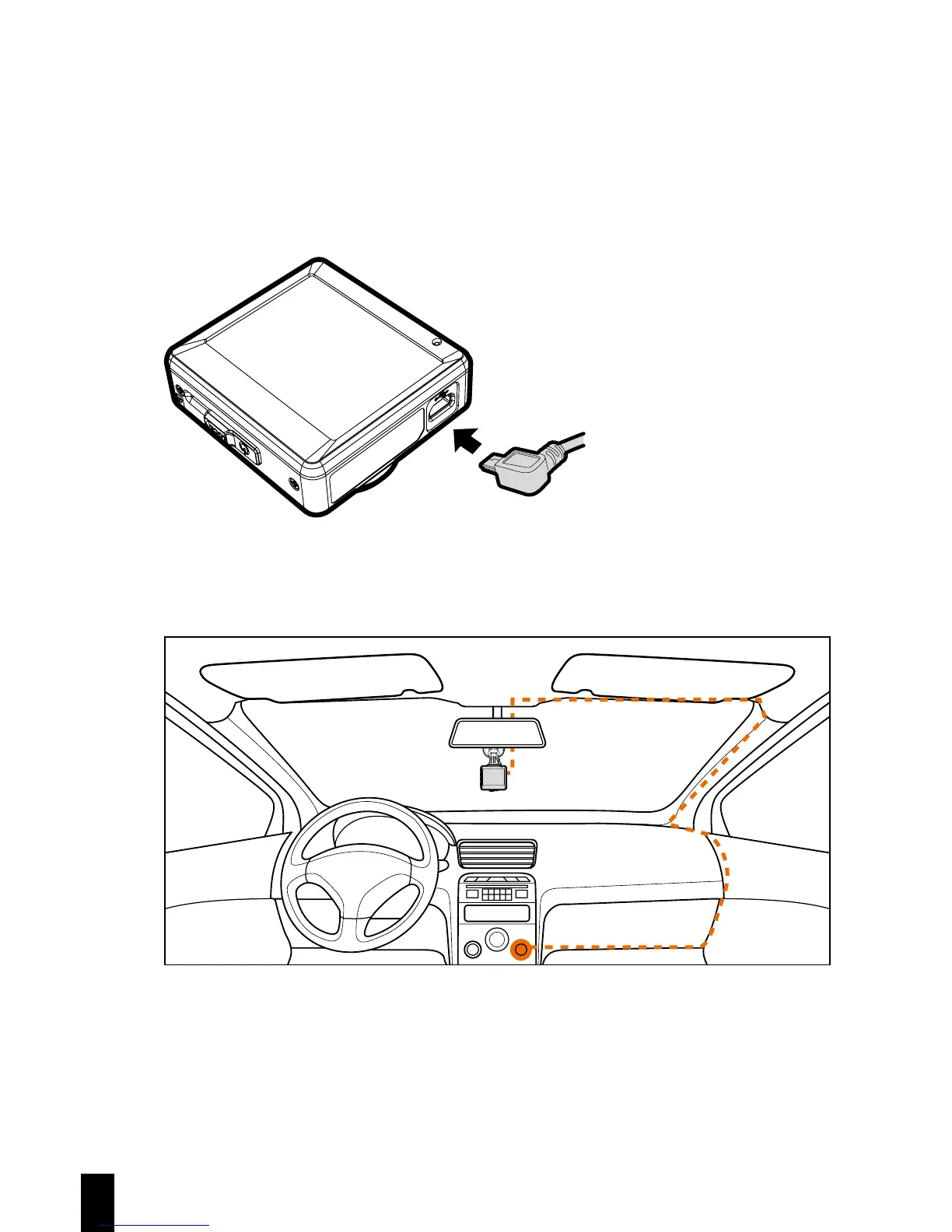
1. Connect one end of power connector to USB/Power connector port on the
device. USB port input: DC 5V / 1A.
2. Plug the other end of the car adapter to the cigarette lighter socket of your
vehicle. Once the vehicle engine is started, the device automatically turns
on. Car charger input: DC 12 / 24V.
Note: This device shall be installed near the rear view mirror, at the center and
top of windshield for optimal viewing.



 To Next Page