31
6. SuperCar
Note:
1. To display the route on Google
Maps, please make sure the
internet is connected before
starting the video playback.
2. Video files (MOV / TS) and
GPS/G-Sensor files (NMEA)
must be stored in the same
folder before starting the
playback.
3. The SuperCar software is only
applicable to a Windows opera-
ting system
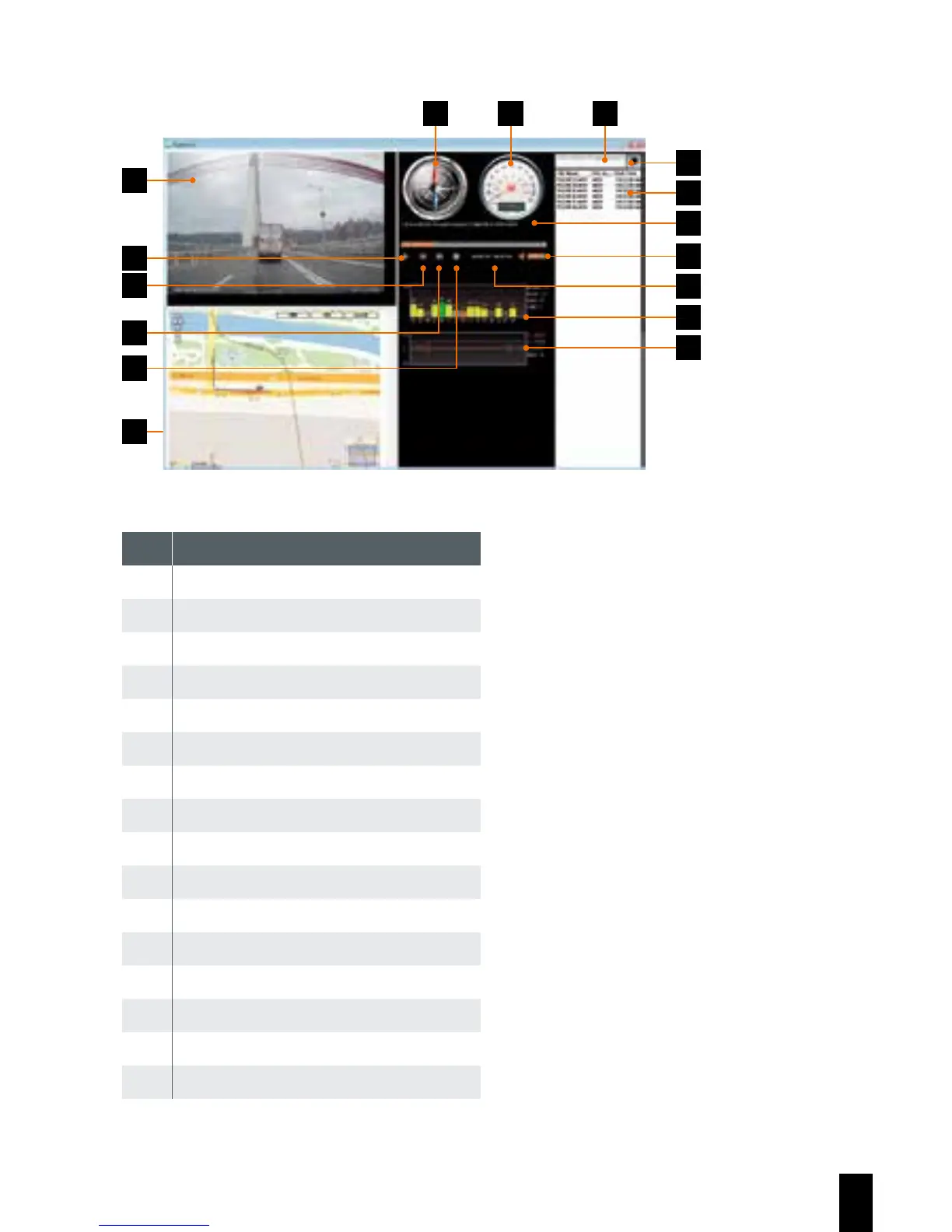
No. Item
1 Video Player
2 Play / Pause
3 Previous
4 Next
5 Stop
6 Google Map
7 Compass
8 Speed Meter
9 File Path
10 Browser File
11 File List
12 File Name
13 Volume
14 Current Duration / Total Duration
15 Signal Noise Ratio (SNR)
16 G-Sensor
6
1
3
5
4
2
7 8 9
10
11
12
13
14
15
16



 To Next Page