25
3.2.4 Deleting Files
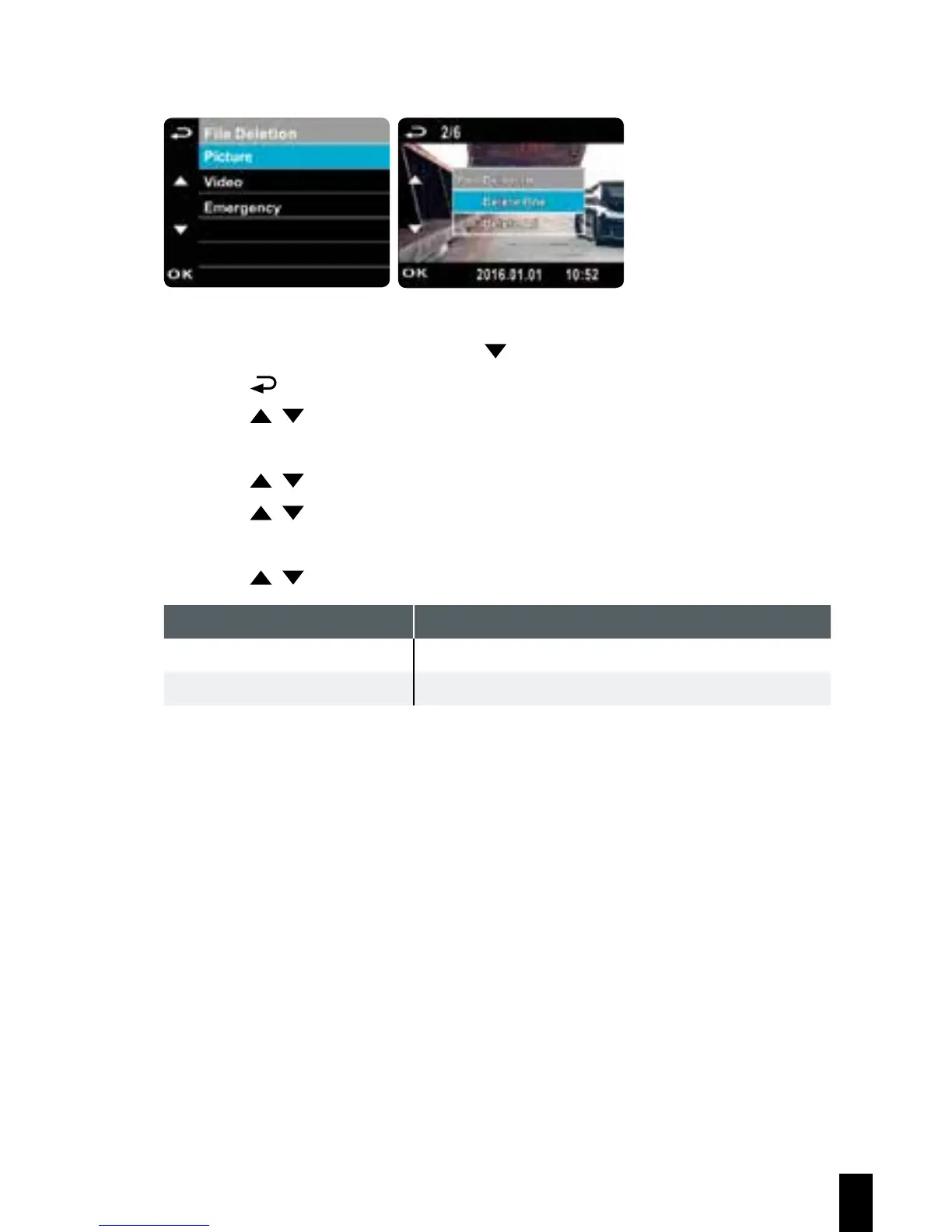
If recording is in progress, press the button to stop recording.
1. Press the button to enter the OSD menu.
2. Press the / button, select “File Deletion”, and press the
OK button.
3. Press the / button, select file type and press the OK button.
4. Press the / button, select the file that you wish to delete and then
press the OK button to enter the deletion menu.
5. Press the / button to select an item.
6. Press the OK button, please confirm deletion.
Note:
Deleted files cannot be restored. Please ensure that files have been backed
up before deleting.
Item Description
Delete One Delete the current file.
Delete All Delete all files.



 To Next Page