17
3 Using the Car Recorder
3.1 Recording Videos
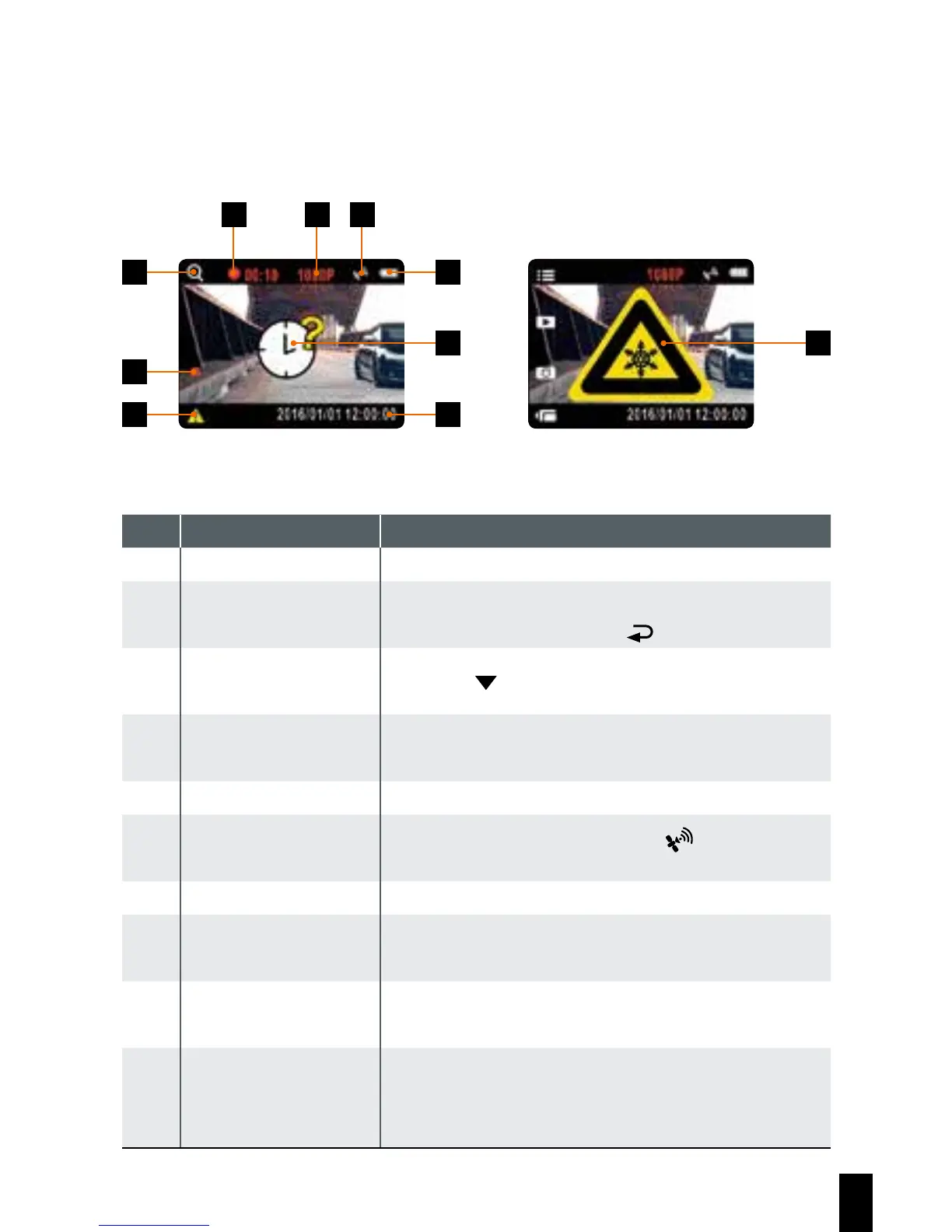
3.1.1 The Recording Screen
2 7
8 10
9
1 5 6
3
4
No. Item Description
1 Duration Indicates the recording duration.
2
4 GRID FUNCTION
CHART
You will see the 4 GRID FUNCTION CHART in the
LCD screen after you push
button.
3 Stop recording Press the
button to stop recording.
4
Emergency recor-
ding
Press the OK button to start manual emergency
recording.
5 Resolution Indicates the video resolution.
6 GPS icon
After the GPS is positioned, a “
” icon will be
displayed on the screen.
7 Battery Indicates the remaining battery power.
8
Date/Time setting
reminder
Reminds that the date and time have not been
set up yet.
9 Date/Time
Refers to the prevailing date and time of
recording.
10 Temperature
The screen shows below message when the
operation temperature below 0 ° C, the device
cannot be operated.



 To Next Page