14
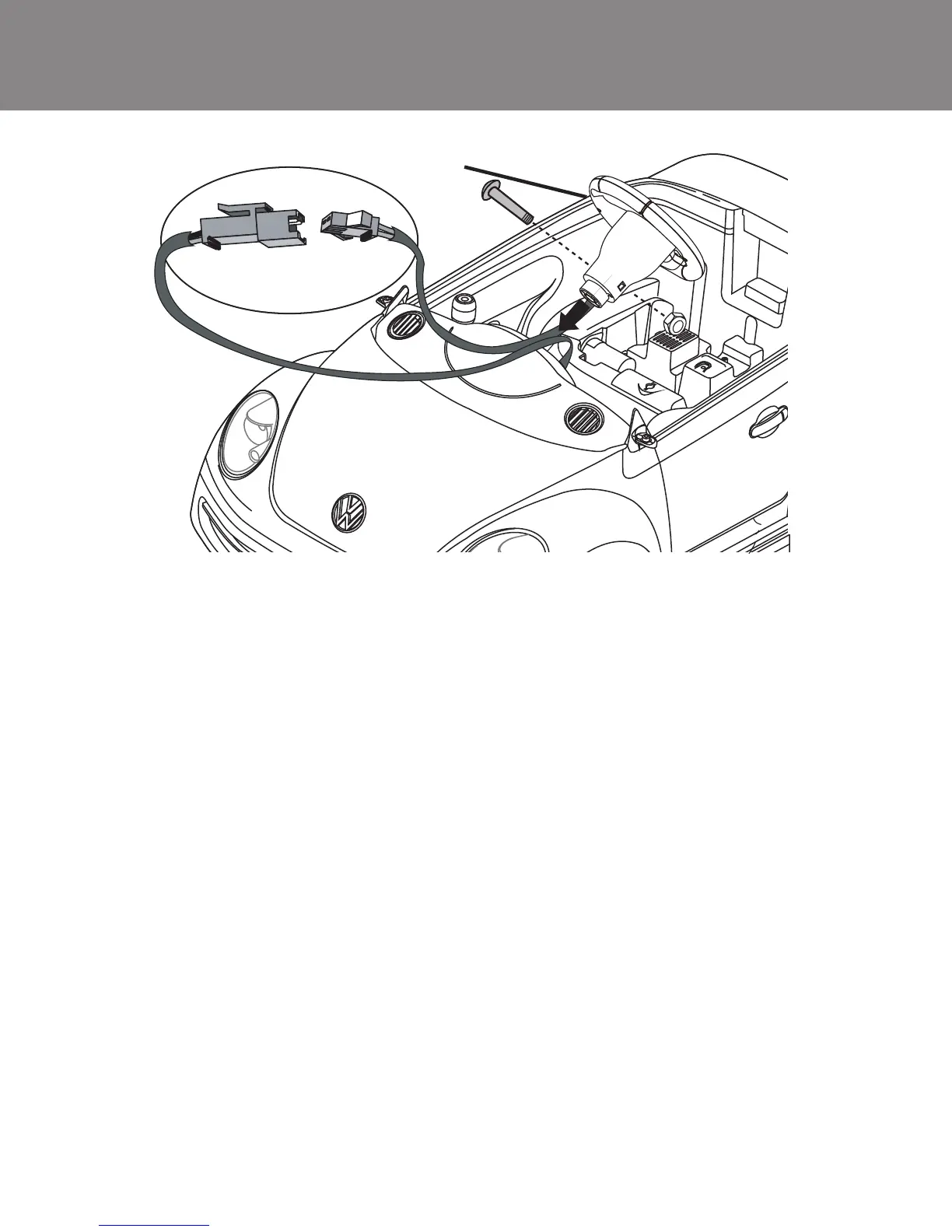
Attach the Steering Wheel
1.
2. Plug the black steering wheel connector (A) into the black dashboard
connector (B).
3. Insert the steering wheel (2) into the steering rod, and match the
screw holes of the steering wheel with the screw holes on the
steering rod.
4. Insert the screw into the hole and fasten the nut to secure.
Locate steering wheel screw (13.1) and steering wheel nut (13.2) from
blister pack.
2
B A













 To Next Page