17
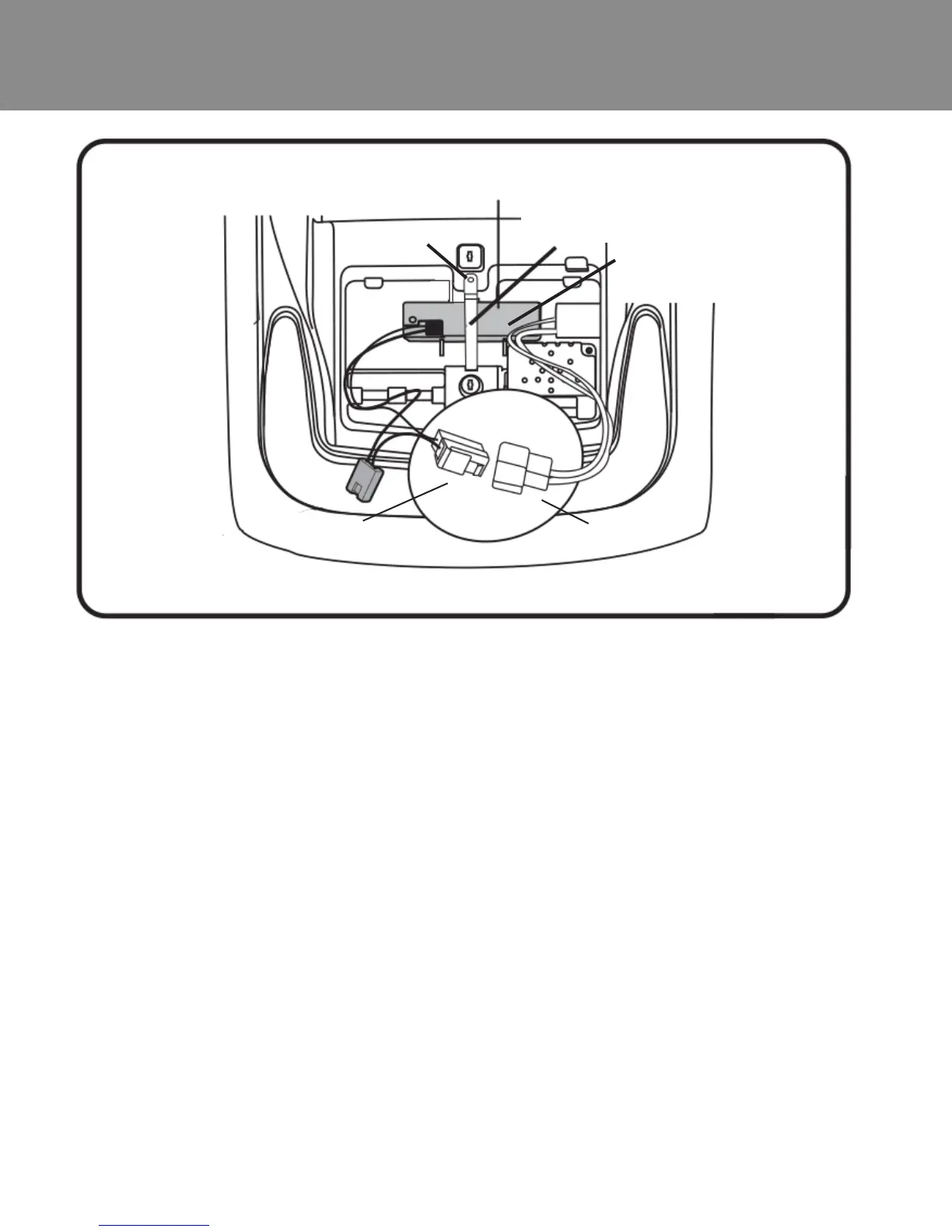
Battery Removal
1. Disconnect the red battery connector (A) from the red engine
connector (B) .
2. Loosen and remove the screw.
3. Unfasten the battery from the strap.
4. Remove the battery.
Note: It is not necessary to remove the battery for charging. However, if
the battery does not reach the outlet, it can be removed for charging.
Battery strap
Battery
Screw
A
B











 To Next Page