AC-020 Page 58 03/02
Replacing a Lost Programming
Code
In the event that your Programming Code is lost,
complete the following procedure to enter
Programming Mode so that you may create a
new Programming Code.
The AC-020 must be in Normal Mode otherwise
this will not work.
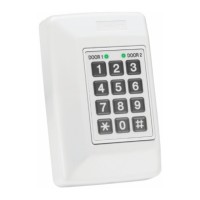
Make sure that the DOOR 1 / DOOR 2 LED is
green before proceeding.
1) Disconnect power from the AC-020
2) Press the appropriate REX button
3) Reconnect power to the unit with the REX
button pressed
4) Release the REX button
You now have 20 seconds to program a new
Programming Code into the controller using the
initial default code, 1234 for Door 1 or 4321 for
Door 2, before the controller reverts to the
existing code.


 To Next Page
 Loading...