4
STANDARD SETTING
4" LOWER HEIGHT
SETTING
3/8"-16NC x 3/4" HHCS
& Flanged Locknut
Use (4) 3/8"-16NC x 3/4"
Carriage Bolts and
Flanged Locknuts in
front and (2) in the back
12' 0" (3658mm)
Top of Cylinder
68" rise lifts
12' 6" (3810mm)
Top of Cylinder
71" rise lifts
11' 8" (3556mm)
op of Overhead
Assembly(std.)
11' 4" (3454mm)
op of Overhead
Assembly
(Low Ceiling)
Mounting
Bracket
1. Lift Location: Use architects plan when
available to locate lift. Fig. 1a, Fig. 1b, Fig. 1c, Fig.
1d, shows dimensions of a typical bay layout.
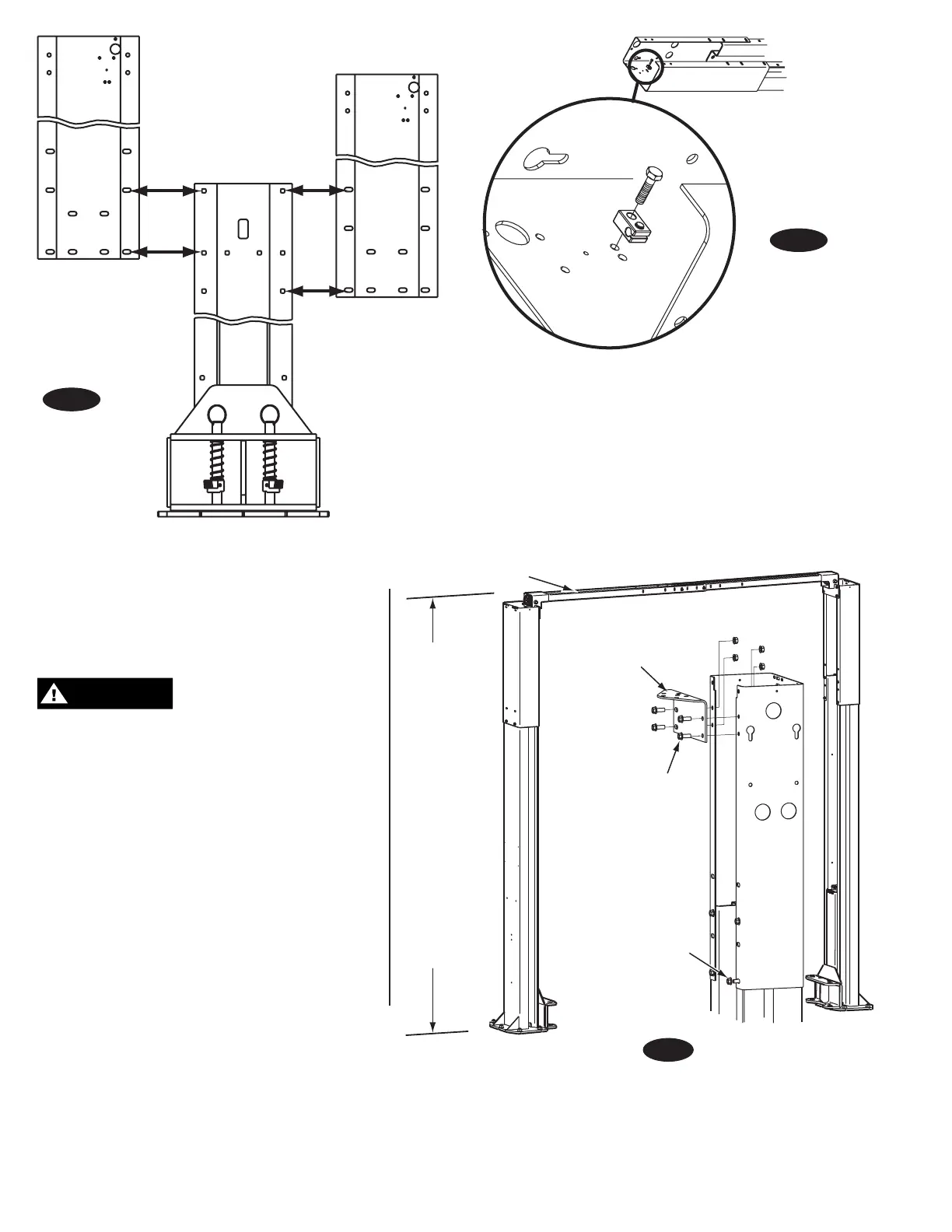
2. Lift Height: See Fig. 3 for overall lift height of
each specific lift model. Add 1” min. to overall
height to lowest obstruction.
DO NOT install this lift in a pit
or depression due to fire or explosion risks.
3. Column Extensions: Before standing columns
upright, install the column extensions using (12)
3/8”-16NC x 3/4” Carriage HHCS and Flanged
Locknuts, Fig. 3, and Fig. 2a.
4. Latch Cable Guides: Install the latch cable
conduit guide brackets to column extensions with
(1) 1/4”-20NC x 1” HHCS
and 1/4”-20NC Flanged
Locknuts, Fig. 2. HHCS should go through hole
nearest the edge as shown, Fig. 2b.
5. Overhead Mounting Bracket: Install Mounting
Brackets to column extensions as shown, Fig. 3.
6. Lift Setting: Position columns in bay using
dimensions shown in Fig. 1a & Fig. 1b. Place
column with power unit mounting bracket on
vehicle passenger side of lift. Both column base
plate backs must be square on center line of lift.
Notches are cut into each base plate to indicate
center line of lift. Use appropriate equipment
to raise carriage to first latch position. Be sure
locking latch is securely engaged.
Fig. 3
Fig. 2a
Fig. 2b


 To Next Page
 Loading...