User Manual - 5/32
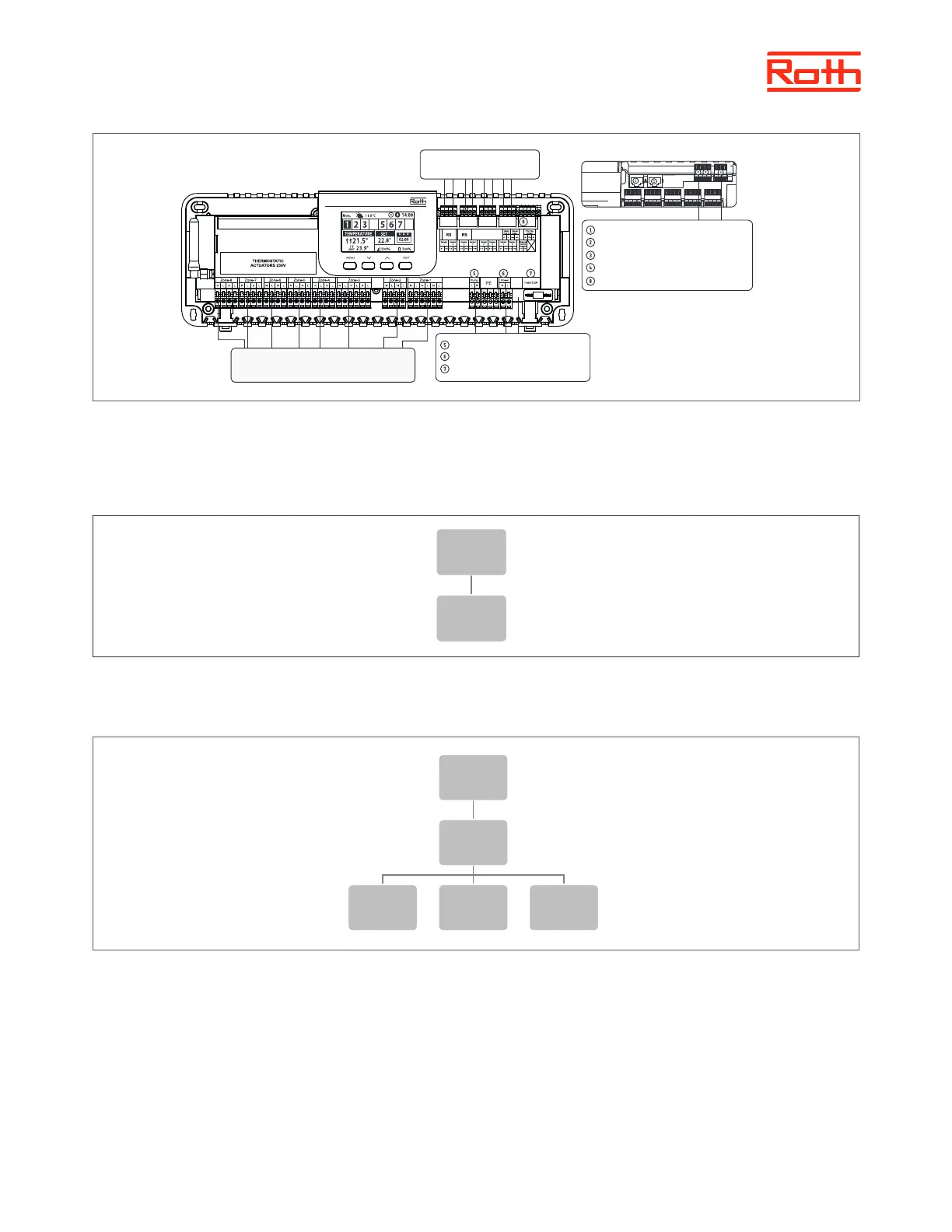
If required up to 4 actuators can be connected to the same output/zone (32 actuators in total on the controller) Meaning: An output with 2, 3 or 4
terminals can all be connected with up to 4 actuators.
Step 2. Switch on the power supply and set your language
Press MENU button and use the button ▼ to select “Language selection”. Use the button ▼ to select your language and conrm with MENU button.
Step 3. Check if the devices work properly Step 4. Set current time and date
Once all the devices has been connected, switch on the power supply. You can choose to use the “Manual mode” function to check if each device
works properly, but it is not necessary to do this.
Press MENU button and use the button ▼ to select “Manual mode”. Select “Valve 1” with MENU button – and carry on to all other valve’s,
potential-free contact and pump. When all are activated all connected valves should open (takes around 5 min.), pump should be running (delay
2 min.) and the heatsource should be activated (delay 2 min.).
Menu
Manual
mode
Valves 1-8
Potential-
free
contact
Pump
Menu
Language
version
Eksterne kommunikation
Potentialeit relæ, maks. belastning 1A
Ekstern sensor
Modulkommunikation
Input (varme/køling)
Signal a kablet rumfølere
Pumpeforsyning 230V, max. 0,5A
Strømforsyning 230V/50Hz
Sikring 6,3A
230V spændingsudgang maks. belastning 0,3A
8 kanaler med maks. 32 termomotorer
Touchline® SL Controller 8 ch master



 To Next Page