7/10
Touchline
10. Mode selection
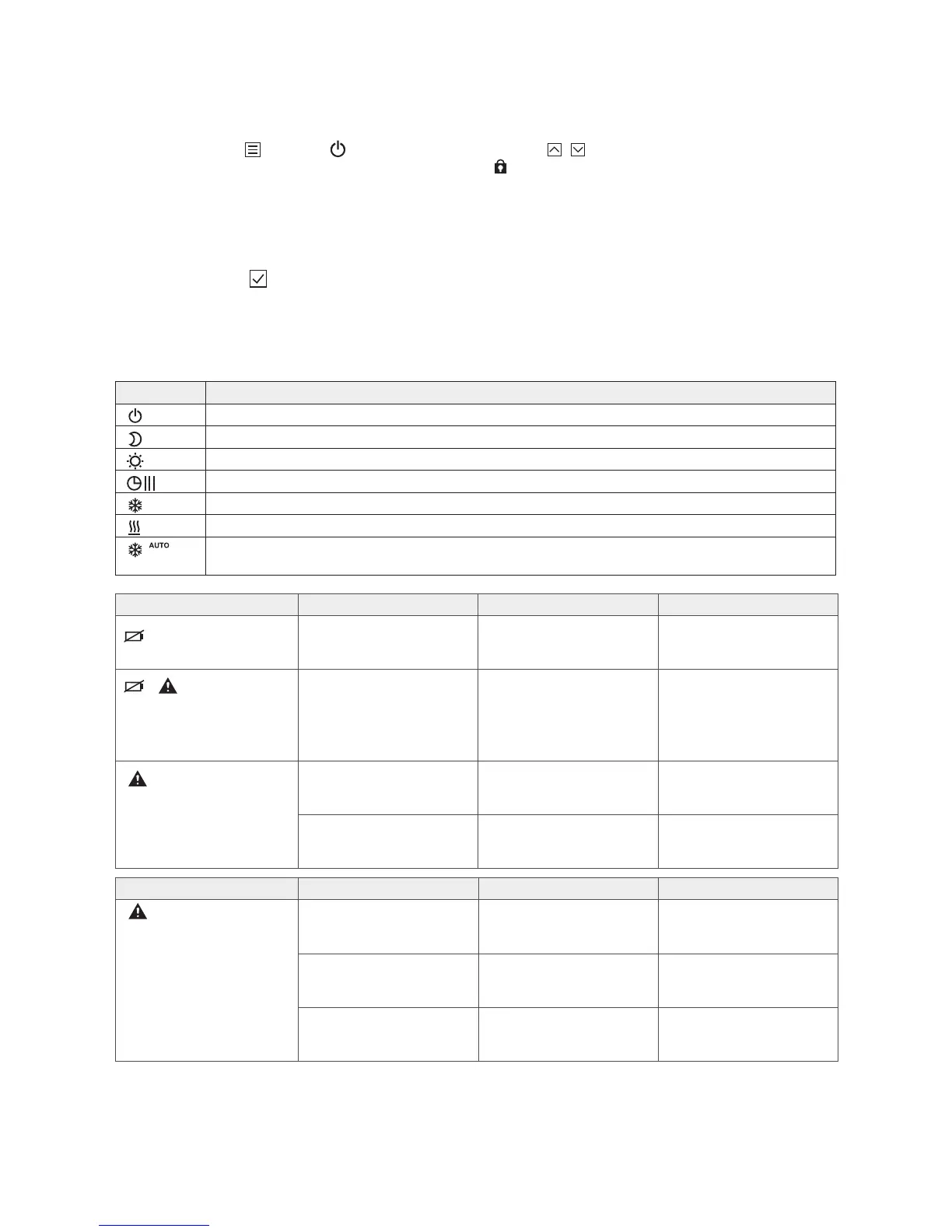
Press the sensor button briey. The symbol ashes.
› Press the sensor button briey to switch to the next mode sym-
bol. The symbol for the next mode ashes.
› Press the sensor button repeatedly until the symbol for the
preferred mode ashes.
› Press the sensor button to conrm the new mode.
The Touchline system has an option for night setback with a time
program. View the complete guide at www.roth-uk.com
Always check the mode before calling a technician!
Symbol Description
The room temperature is kept frost-free at 8°C
Reduced temperature -3°C
Comfort temperature (this is the recommended operating temperature)
Time programs I, II “Pro 2” and III “Pro 3”
Cooling mode (can only be selected if the wireless room thermostat takes priority over the heating/cooling device)
Heating mode (can only be selected if the wireless room thermostat takes priority over the heating/cooling device)
Auto cooling mode (cannot be altered by a wireless room thermostat as this mode is determined by the cooling device
via a C/O input)
Problem Possible cause How to clear it To be done by
Err2
No radio signal between
wireless room thermostat
in sensor mode and
wireless control device
for more than 30 minutes
Power failure to wireless con-
trol device
Restore power supply Electrician
Defective internal fuse › Check electrical connections Electrician
Electrical interference Troubleshooting User/specialist
Problem Possible cause How to clear it To be done by
Battery almost exhausted Replace the batteries User
Battery critically low.
Radio connection between
wireless room thermostat and
wireless control device is
no longer guaranteed
Replace batteries
immediately
User
Err1
No radio signal between
wireless room thermostat
in sensor mode and
wireless control device
for more than 30 minutes
Power failure to wireless
control device
Restore power supply Electrician
Defective internal fuse › Check electrical connections Electrician
----
11. Locking/unlocking a room thermostat
Hold down simultaneously for 5 seconds (until you see
a “lock” in the display). Repeat the procedure to unlock the
thermostat.
+



 To Next Page