4
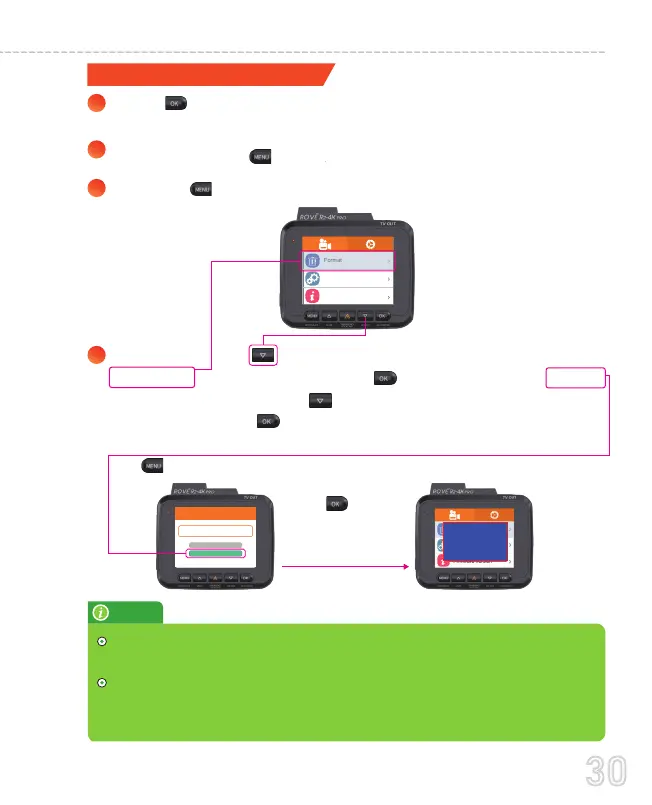
Format successful
FORMAT
Format
Cancel
This feature will allow you to format inserted
memory card, all the data will be deleted.
Format
Default Setting
Firmware Version
Then press theDO button to scroll down until you see
FORMAT >> Then press the O button to enter format
submenu.>>thenpressDO button to highlight theFORMAT
>>Then press the O button to confirm to format the memory
card (The formatting process will be super quick.Now press
the M button to exit the settings).
Press OK button
to make sure your
Memory card is
formated.
1
2
3
FORMATTING MEMORY CARD
Press OK to STOP video recording first or to clear the error
message. If you have any on the screen.
Please press the button once to enter the video settings.
Press the M button again to switch to the System Settings.
NOTE
30
USER MANUAL



 To Next Page