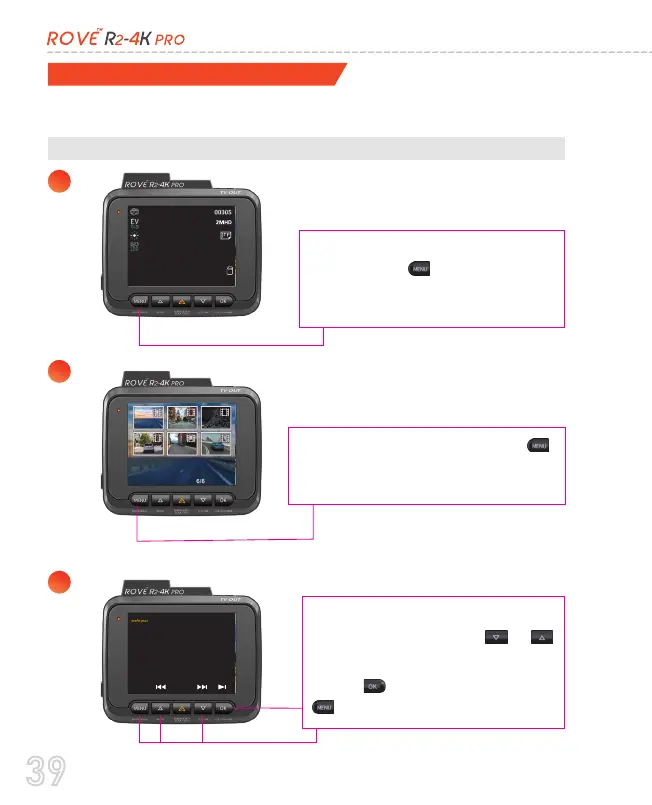
Then Press and hold the M’
button again to switch from
Photo mode to Playback mode
Use the on-screen navigation
button and use the upd/wn
button to scroll your videos.
Press OK to play video. Press
-- to go back to video list.
X1
X1
Playback Your Recorded Videos
A. Directly On The CAMERA by switching to the PLAYBACK MODE
There are 3 different ways you can access your videos.
1
2
3
You can do this by pressing and
holding the M button for two
seconds so it will switch from
Video mode to Photo mode.
39



 To Next Page