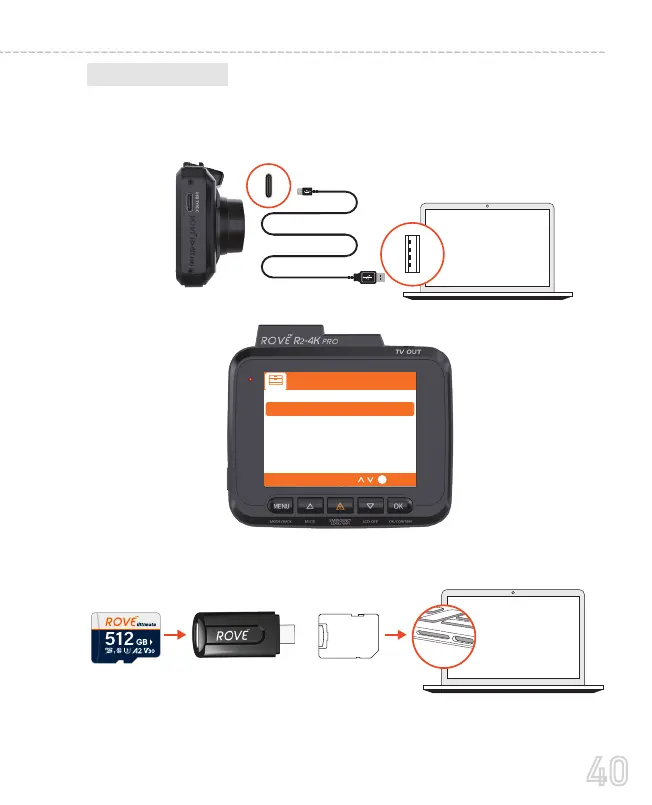
To play on your PC/Mac, simply connect the camera using
included short USB Type C Data cable and choose the Connect as
USB Flash Drive on the camera when this message pops up.
B. On PC/MAC
Then find the added memory card drive on your computer and
then simply double-click on the video to play them.
Connect to PC/MAC
Connect as USB Flash Drive
Connect as PC/MAC Webcam
Operate Camera Normally
OK
You can simply remove the memory card from the camera and
insert it directly into your PC if you have a memory slot.
Or,
SD Card
Adaptor
OR
40
USER MANUAL



 To Next Page