WiFi
WiFi Mode
Date/Time
1
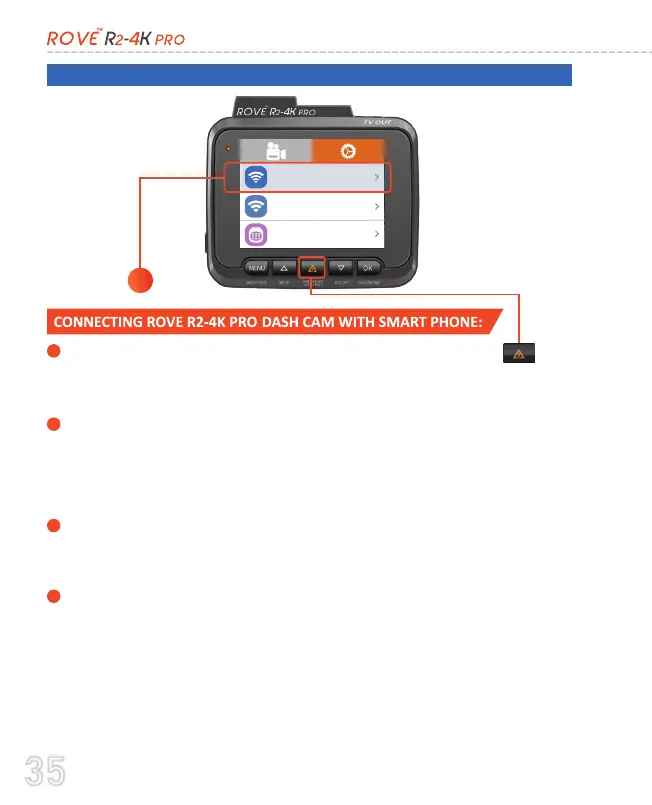
TURN ON WIFI FROM THE CAMERA: Long press the
Emergency LOCK BUTTON for 2 seconds or go to the camera's
SYSTEM SETTINGS to turn ON the WiFi feature.
Now open the ROVE app on your smartphone, and click on the
"Connect to ROVE Dash Cam WiFi" button.”
This will open up your smartphone’s WIFI setting now; look for
a WiFi network named “ROVE_R2-4K_PRO_*******”on the lists.
Join the “ROVE_R2-4K_PRO_*******” network using a default
password displayed on your dash camera’s screen. (Default
Password: 12345678)
Once your smartphone is connected to the ROVE Dash Cam
WiFi, go back to the ROVE APP and choose your dash cam
model, then click proceed to be connected. You should see the
live video feed from the camera on the main home screen of the
ROVE APP.
Now you are all set to access your recording from the ROVE app
and explore it further.
1
2
3
4
STEP 3: Turn the WiFi ON from the R2-4K PRO's Settings
35



 To Next Page