CD and Radio Digital Audio
6
6
7
8 9
10
ICE0124A
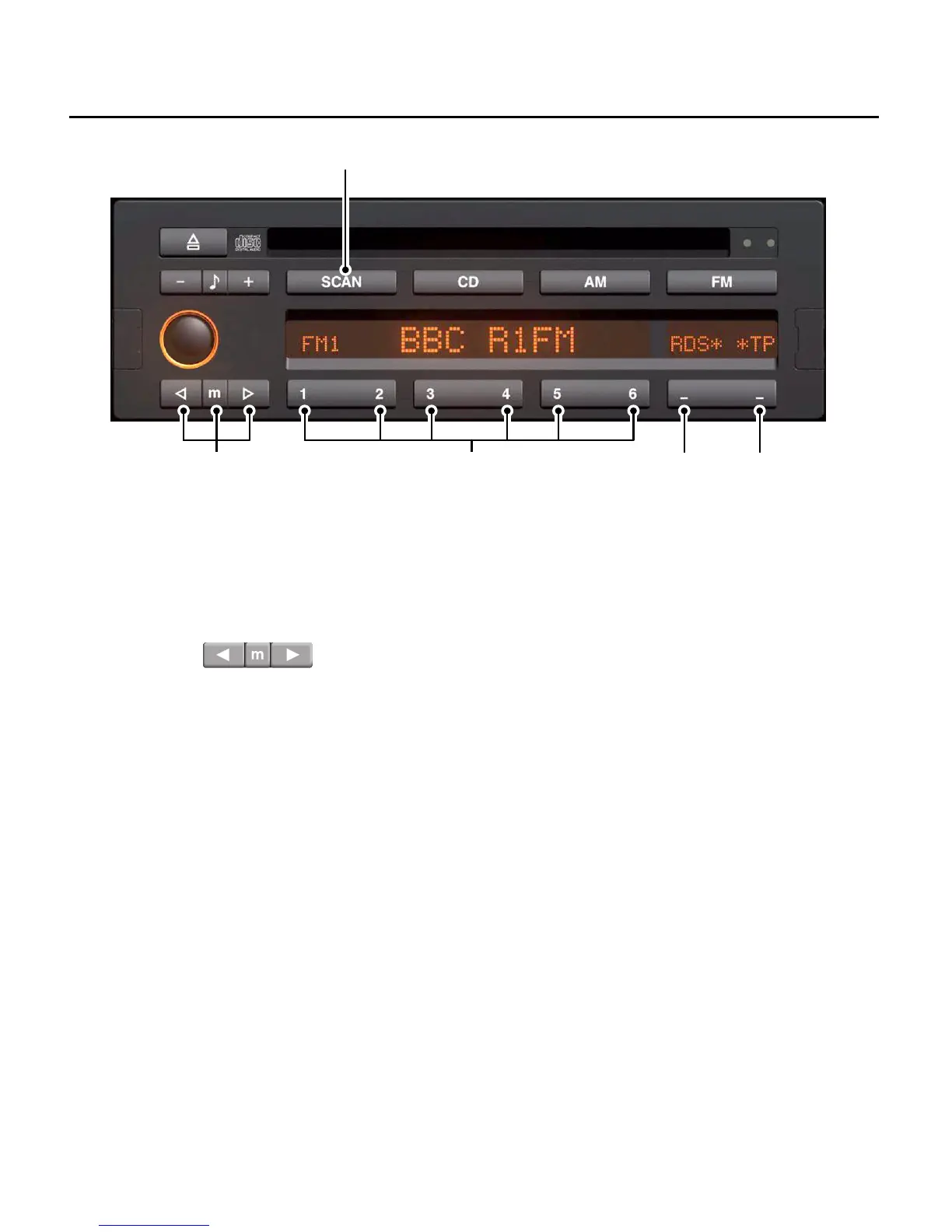
RADIO CONTROLS
6. Tuning buttons
Press either the left or right button for
automatic search tuning (up or down the
frequency range). Press the centre ’m’
button to convert to manual tuning, then
use the left and right search keys to
change the frequency up or down by a
predetermined amount.
7. Radio pre-set buttons (1 - 6)
Used to store and select up to 18 radio
stations on FM and six each on MW and
LW. (See ’Radio tuning’).
8. Radio Data System (RDS) button
Press the left hand side of the switch to
turn the RDS function on or off. If a station
transmitting RDS information is received,
the display shows the station name after
the RDS signals have been evaluated.
When RDS is switched on an asterisk is
displayed after the RDS legend in the
display screen. (see ’RDS’ information).
NOTE: This feature is only available when
FM wavebands are selected.


 To Next Page