CD and Radio Digital Audio
7
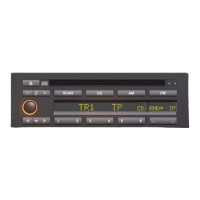
9. Traffic programme (TP) button
Press the right hand side of the switch to
turn the TP function on or off. When TP is
switched on an asterisk is displayed
before the TP legend in the display
screen (see ’Traffic programme’
information).
NOTE: This feature is only available when
FM wavebands or CD play is selected.
10. SCAN button
Press to switch the SCAN search on or off.
The SCAN search allows you to briefly
play all receivable stations in the
waveband currently selected. Each
station signal is held for approximately 8
seconds before the frequency is
automatically tuned up to the next
receivable frequency. To continue
listening to a particular station which the
scan search detects, press the scan
button again within the eight seconds.
When the scan search is complete, radio
play will resume at the station where
scan was selected.


 To Next Page