SECURITY CAMERA User Manual
WWW.RSRTENG.COM Page.5.
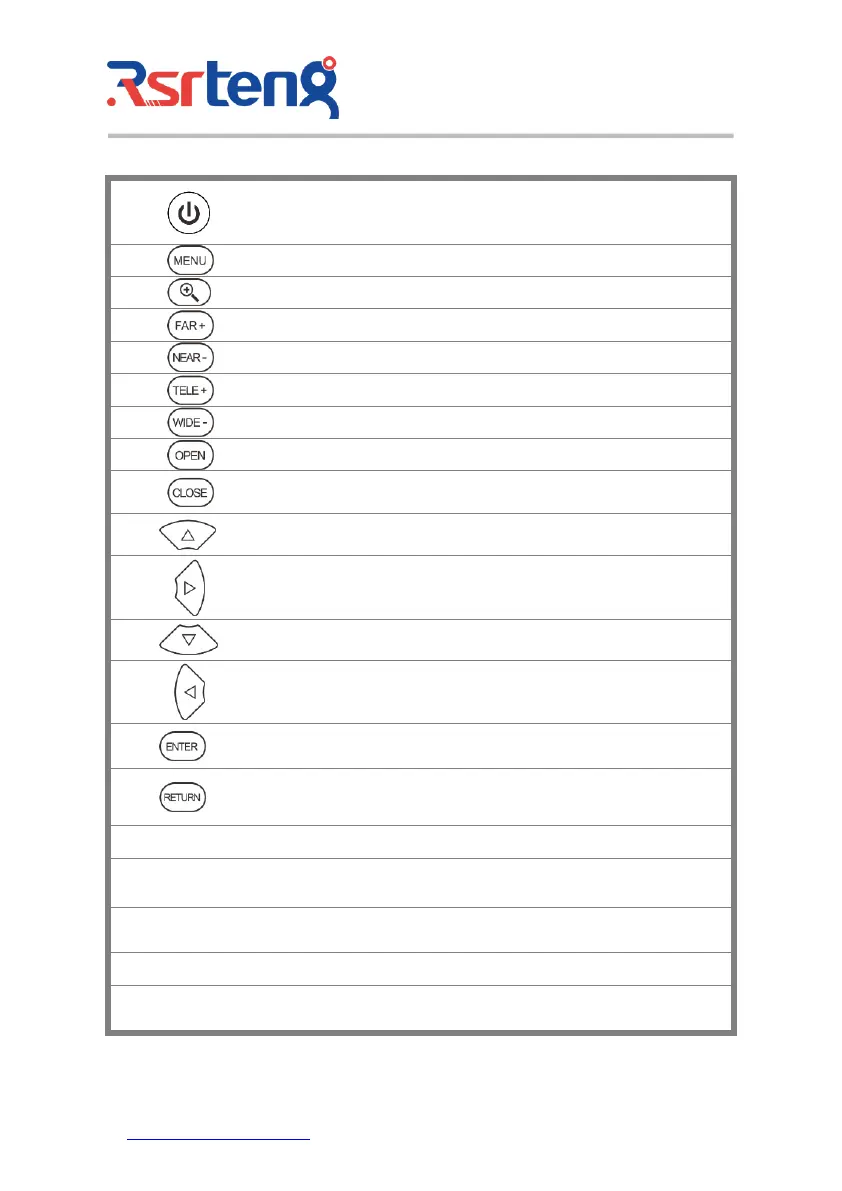
Press more than 2 seconds, turn on or off the device, short press to turn on or off
the menu display
Menu key, press it to call short- menu.
4xzoom the image displays.
Far focus: Focus the image faraway
Near focus: Focus the image nearby
Open/set, Confirm the setting of parameters, open or enlarge the aperture
Return/Close: Return or cancel while setting parameters of the menu, close or
decrease the aperture
Upward, set function or add parameter. Tilt the PTZ upward
Rightward, select the parameter whose value will be changed. Add the value of
the parameter. Pan the PTZ right
Downward, set function or reduce the value of the parameter. Tilt the PTZ
downward
Leftward, select the parameter whose value will be changed
Confirm key,(Long press it to capture screen interface)
Return/Close : Return or cancel while setting parameters of the menu, close or
decrease the aperture
Multi meter interface (Optional)
The charge indicator: it lights red while the battery is being charged. As the
charging is complete, the indicator turns off automatically
The RS485 data transmission indicator: it lights red while the data is being
transmitted
The data received indicator: it lights red while the data is being received
The power indicator: it lights green while the tester is powered by the adapter



 To Next Page