SECURITY CAMERA User Manual
WWW.RSRTENG.COM Page.110.
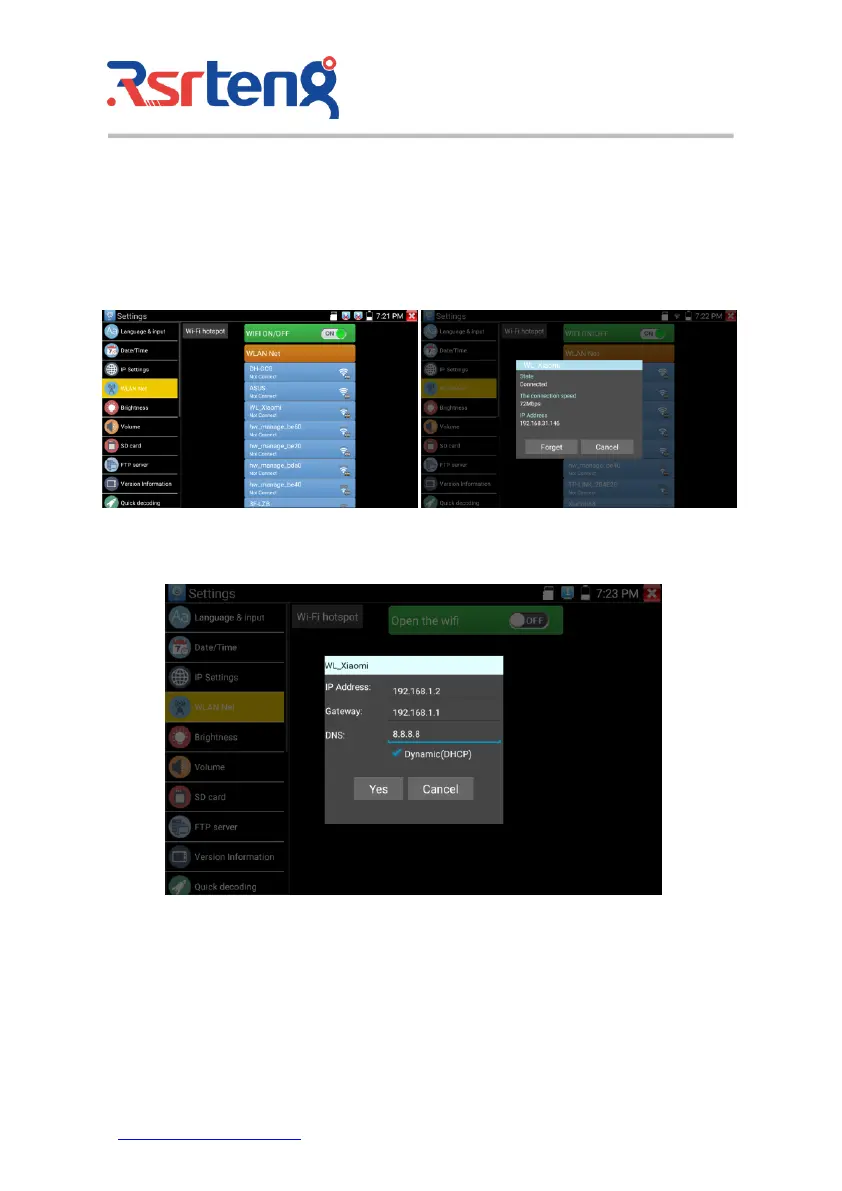
After setting an advanced IP address (refer to the photos above), the unit can test two network segments
(192.168.5.0) and (192.168.1.0)
WLAN Net: Turn WiFi off or on by pressing the "Open the wifi" button. Once WiFi is turned on, and
click connected WIFI, it will scan for wireless networks in your area.
Select and press "WIFI" several seconds, to set static IP address.



 To Next Page