SECURITY CAMERA User Manual
WWW.RSRTENG.COM Page.22.
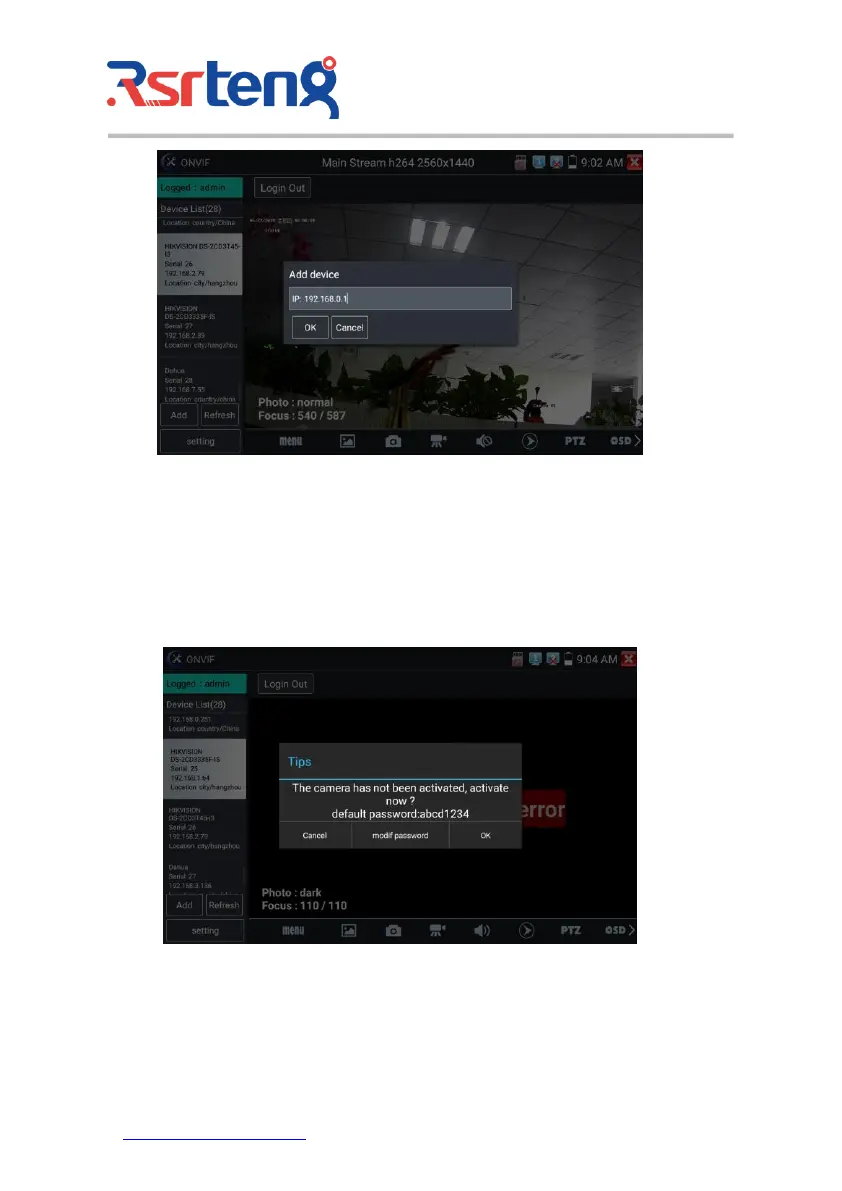
Click the button "Refresh", tester will scan the ONVIF camera again. Click the newly displayed ONVIF
camera on the "Device List". The tester will show the IP camera's relative information and settings.
Activate HIKVISION Camera: When connected inactivated HIKVISION Camera, tester can auto
recognized, and prompt "The camera have not been activated, activated now?", click "OK" to start
activate .
Pop-up settings menu when click the "ONVIF setting" icon in the upper left corner.



 To Next Page