SECURITY CAMERA User Manual
WWW.RSRTENG.COM Page.25.
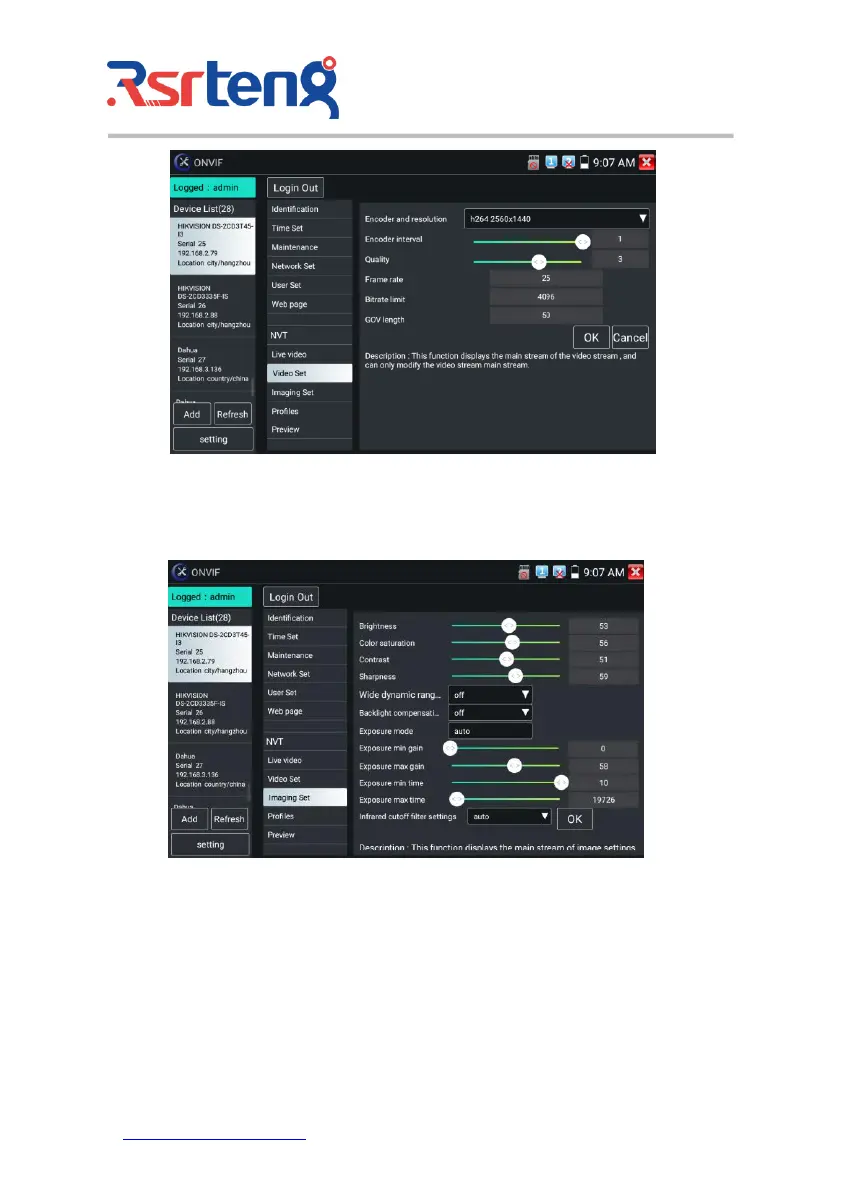
Image setting: Click "Imaging Set" to adjust image brightness, saturation, contrast, sharpness and
backlight compensation mode.
Profiles: Click "profiles", can view video streaming current configuration files, as well as switch
between Major stream and minor stream.
Preview pictures: Quickly preview and zoom in or out pictures, automatically and manual refresh.
Identification: Click "Identification" to view information of the camera.



 To Next Page