SECURITY CAMERA User Manual
WWW.RSRTENG.COM Page.28.
If it is network video input to the tester, as the tester supports resolution up to 1080p, the input image
will be very clear after it is enlarged. This is greatly helpful for the installers to ensure the IP camera's
video coverage and decide the IP camera's install site.
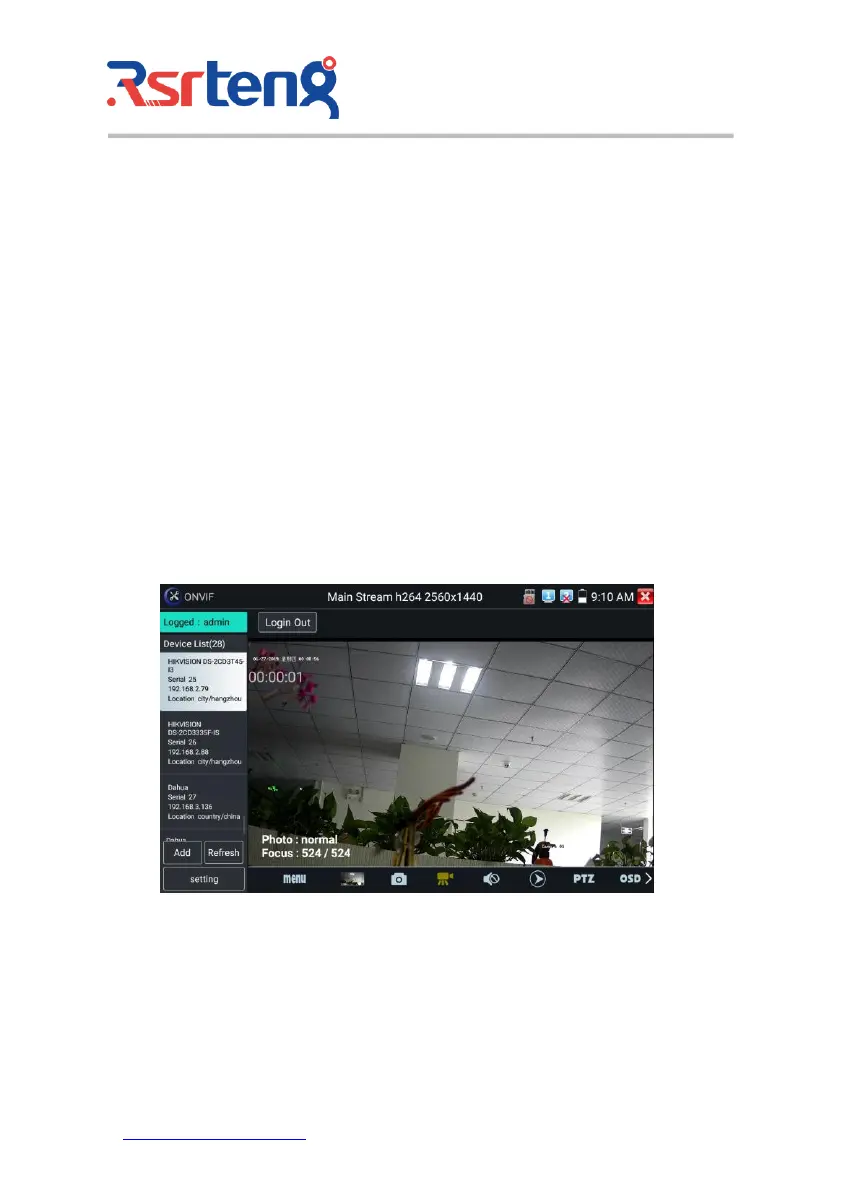
Image can only be enlarged on SD mode (The icon "ONVIF" is SD mode.)
Select relative function on the bottom Toolbar to operate, "Snapshot" , "Record", "Photos",
"Video playback", "Storage set", "PTZ control" etc.
Snapshot: Click bottom "snapshot" to screenshot the image and store it to SD card.
If select manual storage, appears dialog box "Input Name", user-defined the files name(by Chinese
character, English letter or digit ) to save in SD card, if select "Auto- storage", the tester auto stores the
files after snapshot.
Record: When you click bottom the "Record" icon, video starts recording. A red recording icon
appears on the screen and begins to flash and a timer appears indicating the time elapsed for the video.
Click on the "Stop" icon to stop recording and save the video file to the SD card.
Playback: Click the "Playback" icon to view saved videos. Double click the video you want to play.
Click to return to the last menu.



 To Next Page