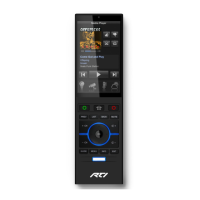
RP-6 Remote Control Processor
8
MOUNTING
The RP-6 can be mounted on either a shelf or a wall (see Appendix A for mounting hole
details). Since the IR output ports can drive up to 1000 feet of wire, and the optional
Power Sensor and Communication Modules can be extended, the RP-6 does not need to
be mounted near the equipment being controlled.
CONNECTING THE AC ADAPTER
The included AC adapter should be connected to the POWER jack on the RP-6. The
power LED will turn-on and the output LEDs will toggle on and off in sequence to
confirm that the unit is running properly.
Use only the supplied AC adapter to power the RP-6. Using a different power supply
could result in damage to the RP-6 or poor performance.
CONNECTING IR EMITTERS TO OUTPUT PORTS
The multi-purpose output ports on the RP-6 are compatible with industry standard
infrared emitters and infrared repeating systems. Each output port is capable of driving
up to four infrared emitters directly. More than four infrared emitters requires an
amplified connecting block. A connecting block can be wired up to 1000 feet away from
the RP-6 using #22 AWG (minimum) wire.
For the most reliable connection to the RP-6 output ports, make sure to use the
included IR emitter adapter cables.
CONNECTING POWER SENSOR MODULES
The multi-purpose output ports on the RP-6 are compatible with RTI power sensing
modules (e.g. VPS-1 and SPS-1). Follow the guide included with the modules for
installation instructions, and follow the instructions in the TheaterTouch Designer™
software guide for programming details.
CONNECTING COMMUNICATION MODULES
The multi-purpose output ports on the RP-6 are compatible with RTI communication
modules (e.g. CM-232). Follow the guide included with the modules for installation
instructions, and follow the instructions in the TheaterTouch Designer™ software guide
for programming details.
CONNECTING INFRARED RECEIVERS
The RP-6 is compatible with industry standard IR receivers, repeater systems, and
keypads. Connect the SIGNAL IN, GROUND, and +12VDC (if power is needed)
terminals to the signal out, ground, and power (if needed) terminals of the desired


 To Next Page