
 Need help?
Do you have a question about the Ruby XL HD and is the answer not in the manual?
Provides phone number and hours for US customers to reach Technical Support.
Provides email address for sending questions to Technical Support.
Instructions to charge the battery before first use, taking approx. three hours.
Instructions on how to power on the device using the green/yellow button.
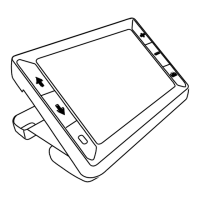
Guide to extending the handle for handheld magnification use.
Instructions on opening the reading stand for document viewing.
Steps to connect the power adapter to the unit and a wall outlet for charging.
Explanation of the green blinking LED indicating the battery is charging.
Describes the steady green LED indicating a fully charged battery.
Information on usage time and the red flashing LED indicating a low battery.
Indicates the battery is charged and the power adapter is connected.
Indicates the battery is charging while the power adapter is connected.
Indicates the battery is low and needs recharging.
Signifies an error; suggests unplugging and replugging the power adapter.
Controls turning the unit on and off.
Allows adjusting magnification for live and frozen images.
How to zoom in and out on live images using the yellow buttons.
How to zoom frozen or saved images incrementally using the yellow buttons.
Instructions to freeze the live image on the LCD screen using the red button.
Steps to exit Freeze Frame mode and return to live view.
Procedure for saving images to storage and managing stored images.
How to enter storage mode to save or delete images.
Steps to resolve issues when the unit fails to power on.
Troubleshooting steps for a blank or unresponsive screen.
Guidance for when the battery indicator LED is flashing red, indicating a low battery.
Troubleshooting for a solid red battery LED while connected to power, indicating an error.
Steps to take if the battery LED does not flash green during charging.
Troubleshooting steps for when the unit's battery is not charging.
Important safety advice on unit handling, temperature, liquids, and connector use.
 General
| Brand | Ruby |
|---|---|
| Model | XL HD |
| Category | Magnifiers |
| Language | English |

 To Next Page