32
To delete an image while in Storage mode,
1. Press and HOLD both yellow buttons ( and ) to clear the check box
. When you exit Storage mode, the image is deleted.
2. Press and HOLD the red button for three seconds to exit and
return to live view.
Viewing Saved Images
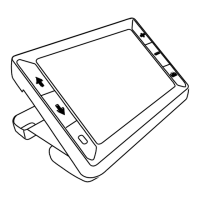
RUBY XL HD can store up to 80 images. You can easily scroll through the
images using the blue arrow buttons ( and ).
1. Press and HOLD the red button for approximately six seconds to
enter Review mode.
To scroll forward through the saved images, press the blue UP
arrow ( ).


 To Next Page