20
Changing Color Modes
A color mode is a pre-defined color combination (for example, yellow text on a
blue background) that you can select when reading items with RUBY XL HD.
The unit has five default color modes: Full Color; Black on White (high-contrast
positive); White on Black (high-contrast negative); Yellow on Blue; Yellow on
Black; and 15 additional color modes. For a complete list, refer to Color Modes
on page 24.
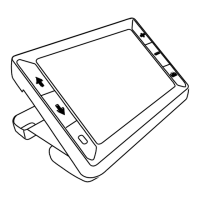
Press the blue arrow buttons ( or ) to change the current color
combination on the LCD screen.
The blue UP arrow button cycles in one direction through the color
combination list while the blue DOWN arrow button cycles in the other
direction.


 To Next Page