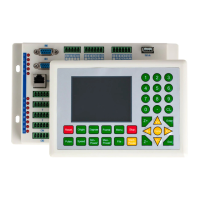
RDLC320 Controller User Manual
31 / 45
© 2016 Ruida Technology. All Rights Reserved.
1) Press the Up and Down keys to select the cursor position. When the cursor
stops at “Z-axle Move”, press the Left and Right keys and the system will move the Z
axle. If the inching distance is 0, Z axle will continuously move; if it is not 0, Z axle
will move the well-set inching distance value.
2) When the cursor stops at “Axles Reset”, press the Enter key and it will show
four entries as follows:
Press the Up and Down keys to select the desired entry. Press the Enter key and
the corresponding axles will reset (Only when the reset of this axle is activated in the
manufacturer’s parameters can the resetting will function). Press the Esc key to return
to the prior menu.
3) When the cursor stops at “Inch Setting” or “Laser setting”, the inching distance
or the Laser shot time can be set.
4) When “Origin setting” is selected, it will show below:


 To Next Page