20
After the installation preparation is complete, please conduct flight training or training first.
It is recommended to conduct training in the beginner mode. Please choose a suitable flight
environment when flying. The flying altitude is limited to 393ft, and the local laws and
regulations must be strictly observed during flight. Please be sure to read the F11GIM
Disclaimer and Safety Summary, and understand the safety precautions before flying.
6.1 Flight Environment Requirements
6 Flight
F11GIM User Manual
Before using the RUKO DRONE App, make sure that the phone has sufficient power.
When you use the RUKO DRONE App on your mobile phone, please focus on controlling
the Aircraft. Do not answer incoming calls, send and receive text messages or use other
mobile phone functions during the flight.
The map used in the map interface needs to be downloaded from the Internet. Before
using this function, do not connect to the Aircraft WiFi, and connect the mobile device to
the Internet to cache the map.
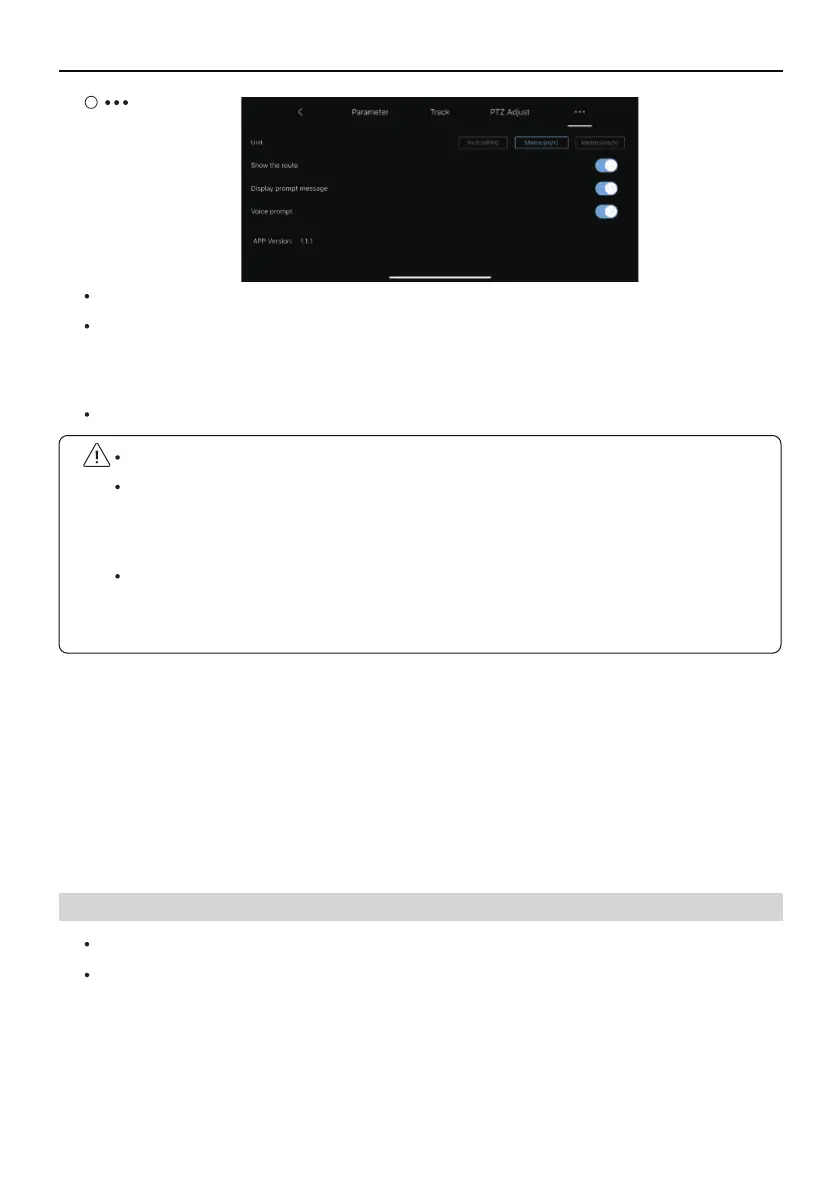
Unit: Switch between metric and imperial measurement units.
Show route: Turn on or off all flight records of map tracks in the track menu.
Display prompt message: Turn on or off the Aircraft status prompt message in the
APP.
Voice prompt: Turn on or off the aircraft status voice prompt of the app.
Do not fly in severe weather such as strong wind, snow, rain, and fog.
Choose an open place with no obstructions around as the flying field. The compass and GPS
signals on the Aircraft will be interfered by buildings, mountains, and trees. It is recommended
to fly in an open space with a diameter of 32 ft without interference. It is recommended
that the flight altitude be greater than 49 ft to avoid ground obstacles and other signal
interference from the ground.
Copyright ©2021 Ruko All Rights Reserved.30



 To Next Page