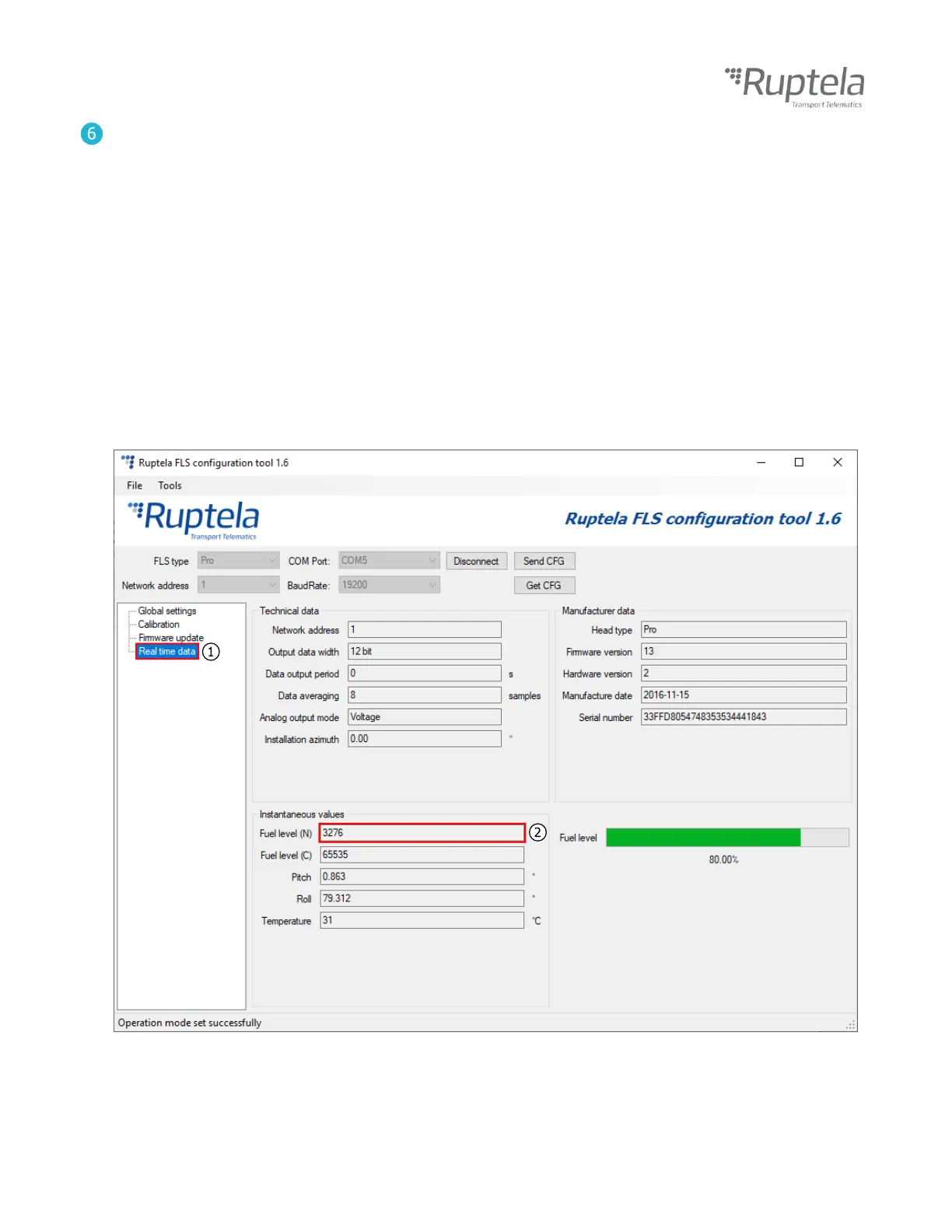
Perform fuel tank calibration, starting with an empty tank.
Go to the Real time data section. (1)
Check the N value of the sensor (should be less than 50), assign it to 0 liters. (2)
Add a known amount of fuel and check the N value again.
For accurate results, add fuel 10-20 times.
The maximum N value should be around 3600.
Enter the calibration table into your tracking software.
Example:
N Liters
17 0
49 50
154 100
251 150
507 200
752 250
981 300
1011 350


 To Next Page