Fill a vessel with enough fuel to submerge the probe in.
Submerge the probe fully into the vessel.
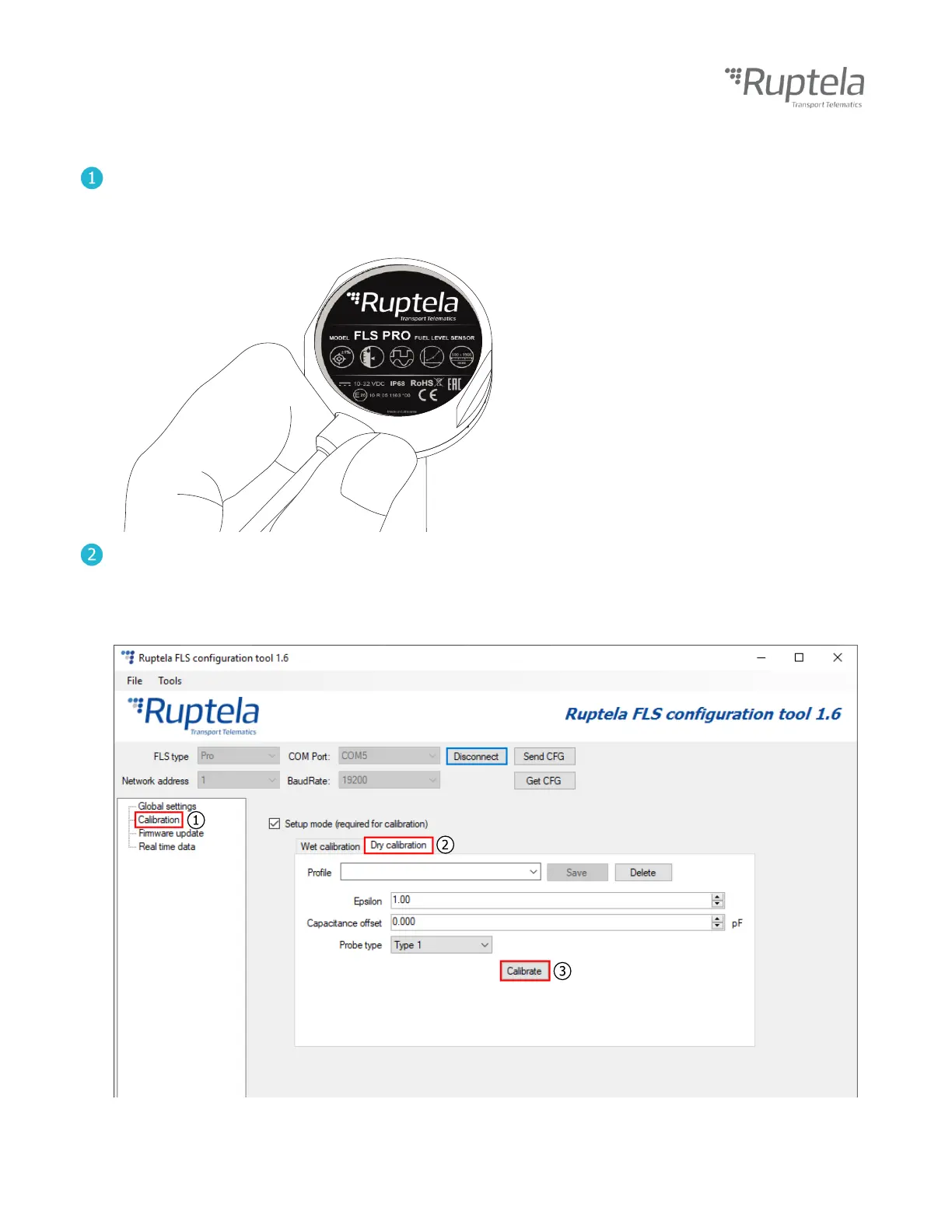
Take out the probe, holding the FLS as shown in the picture below.
Let fuel drip out for 15 seconds.
Go to the Calibration section. (1)
Go to the Dry calibration section. (2)
While holding the probe, click the Calibrate button. (3)
Make sure the probe is not touching anything!
Once calibration is complete, the sensor can be installed.


 To Next Page