RUSH Wizard User Manual 35
12. If the lamp is installed as directed above, it should not require adjustment.
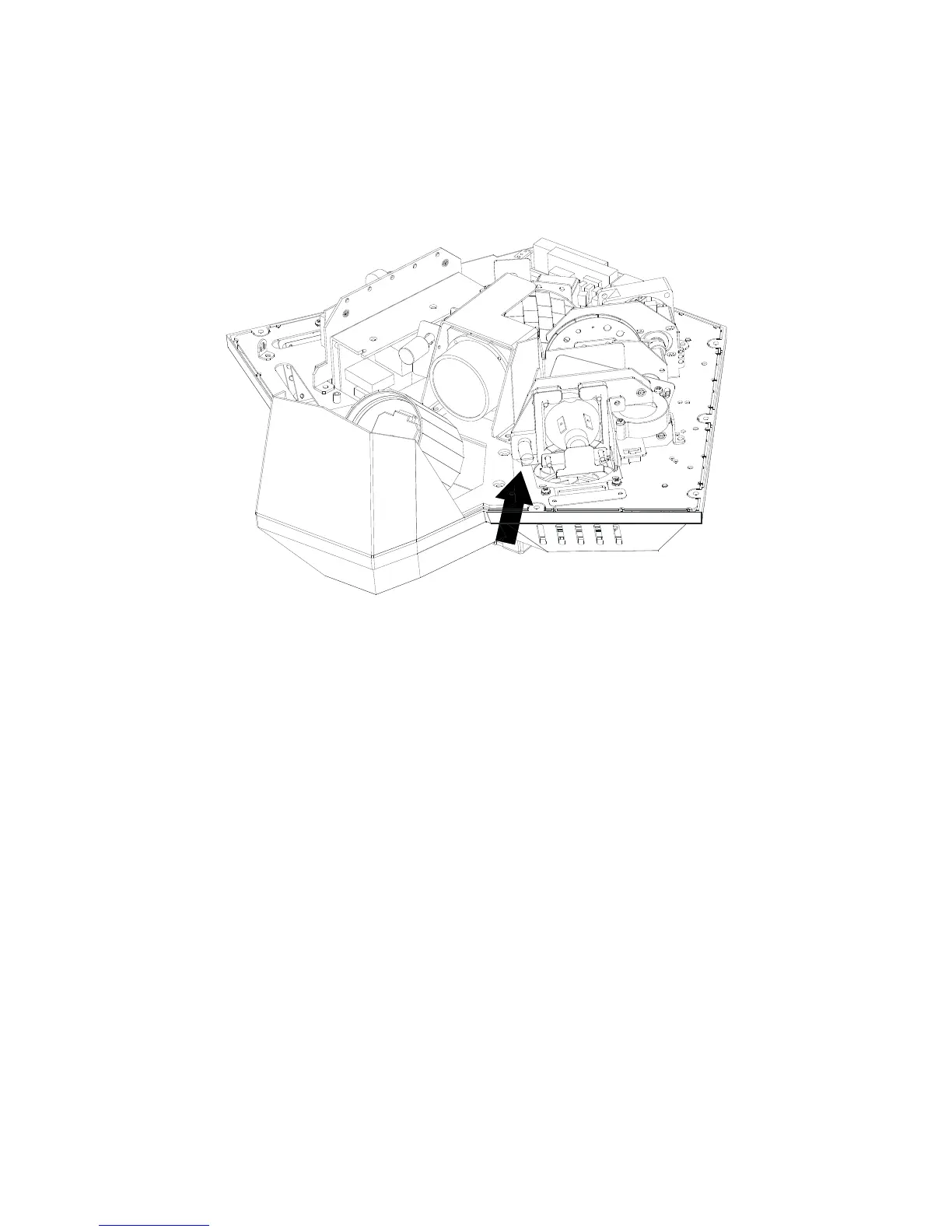
If projections become unsatisfactory after a lamp change, disconnect the
fixture from power and open the cover again as directed above. See
illustration below. Adjust the lamp horizontally by turning the lamp
adjustment screw (arrowed) with a flat-bladed screwdriver.
Replacing the primary fuse
If the fixture is completely dead, the fixture’s primary fuse F1 may have blown
and it may be necessary to install a new fuse. This fuse is located in a
fuseholder next to the AC mains power socket on the connections panel (see
Fixture overview on page 11).
To replace a fuse:
1. Disconnect the fixture from power and allow it to cool for at least 30
minutes.
2. Unscrew the cap of the fuseholder and remove the fuse. Replace with a
fuse of the same size and rating only.
3. Reinstall the fuseholder cap before reapplying power.



 To Next Page