Dedicated player
30
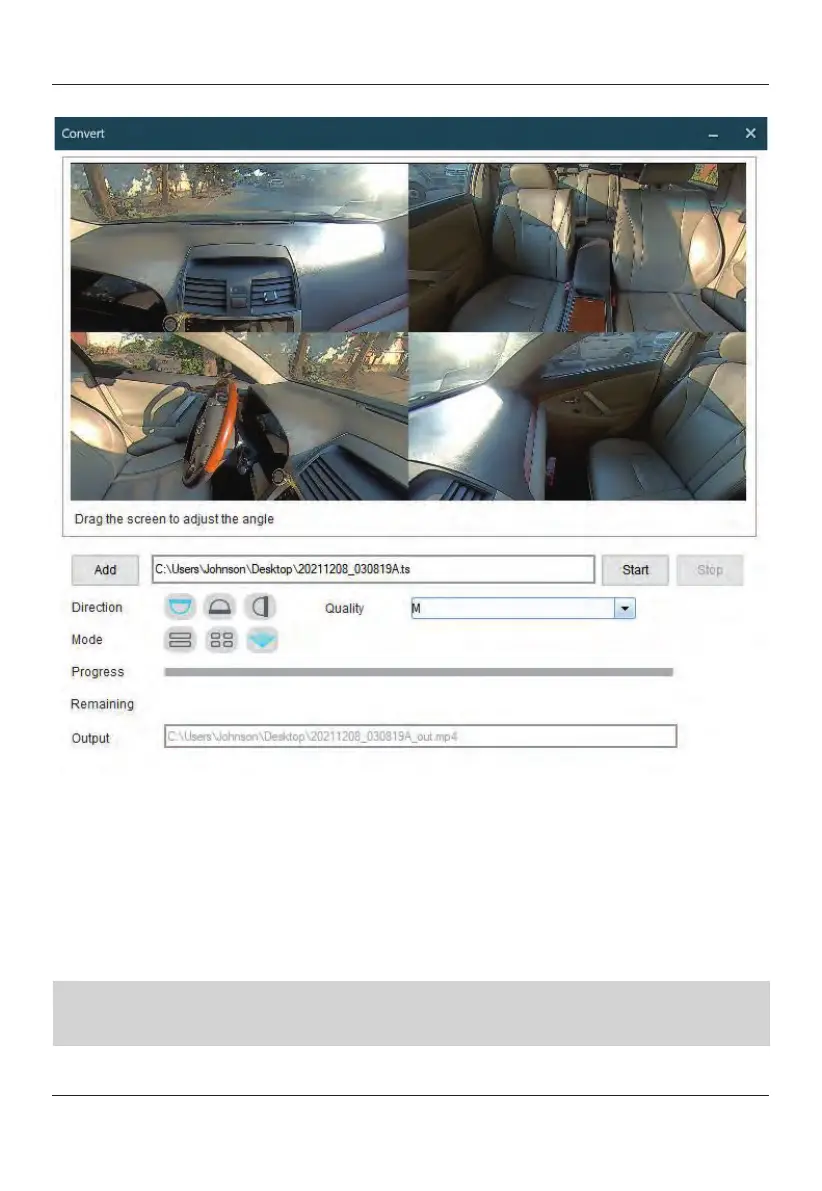
Conversion
Add:
Select the video file to be converted.
Direction: Select the
front
camera recorded direction.
Quality: Select the
resolution of the video.
Mode: Select the video displayed mode. Only useful with front 360° camera.
Progress: Display the progress of the conversion.
Remaining: Displays the remaining time required for the video conversion to
complete.
Output: Displays the saved location of the converted video.
Note:
1. The Tombo360 Viewer player is only compatible on Windows Operating Systems.
2. The Tombo360 Viewer player is compatible on Windows7 and newer.


 To Next Page