Instruments and controls 115
The HUD image displayed on the
windshield will automatically dim and
brighten to compensate for outside
lighting. However, the HUD bright‐
ness can still be adjusted as needed.
The HUD image can temporarily light
up depending on the angle and posi‐
tion of the sunlight on the HUD dis‐
play. This is normal and will change
when the angle of the sunlight on the
HUD display changes. Polarized sun‐
glasses could make the HUD image
harder to see.
Vehicle messages
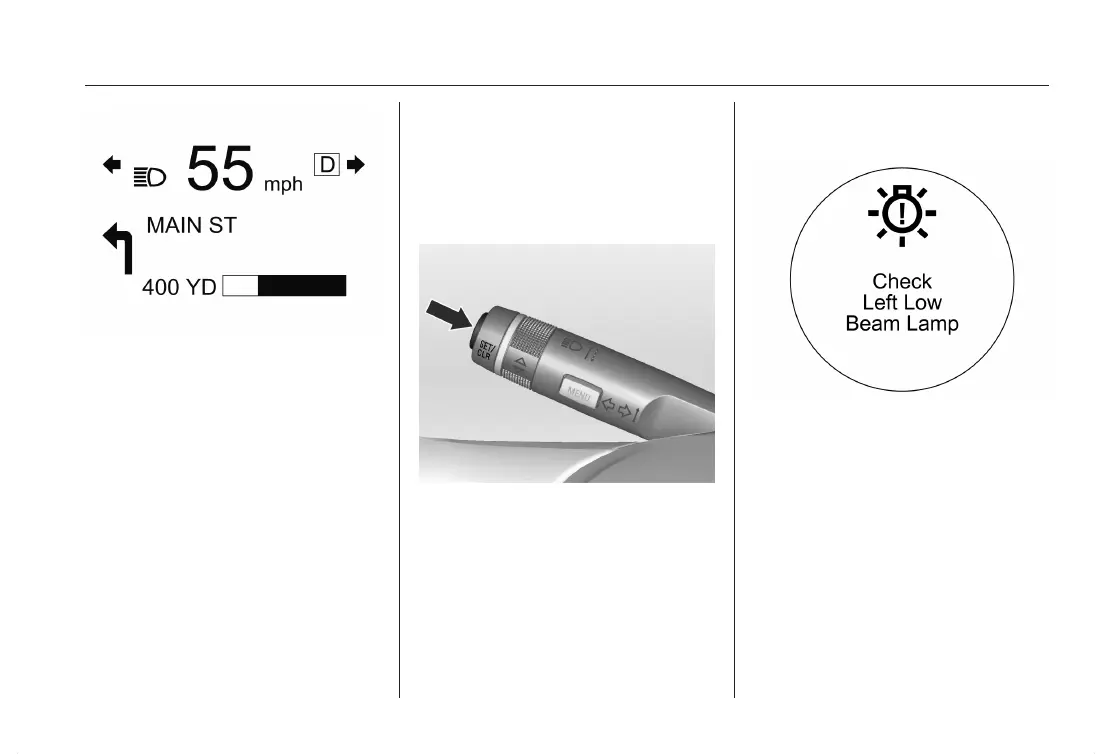
Messages are indicated in the Driver
Information Center (DIC), in some ca‐
ses together with a warning and an
audible signal.
Press the SET/CLR button to confirm
a message.
Vehicle messages on the Driver
Information Center (DIC)
The vehicle messages are displayed
as text. Follow the instructions given
in the messages.
The system displays messages re‐
garding the following topics:
■ Fluid levels
■ Anti-theft alarm system
■ Brakes
■ Drive systems
■ Ride control systems
■ Cruise control













 To Next Page