Instruments and controls 123
Restore factory settings: Reset all
settings to the default settings.
Display
Selectable display settings:
■ Day mode: Optimization for day‐
light conditions.
■ Night mode: Optimization for dark‐
ness.
■ Automatic mode: The display
changes mode depending on out‐
side surrounding light or, on some
versions, daylights / nightlights are
always on
OnStar® system
OnStar® uses several innovative
technologies and live advisors to pro‐
vide a wide range of safety, security,
navigation, diagnostics, and calling
services.
Automatic Crash Response
In a crash, built in sensors can auto‐
matically alert an OnStar® advisor
who is immediately connected to the
vehicle to see if you need help.
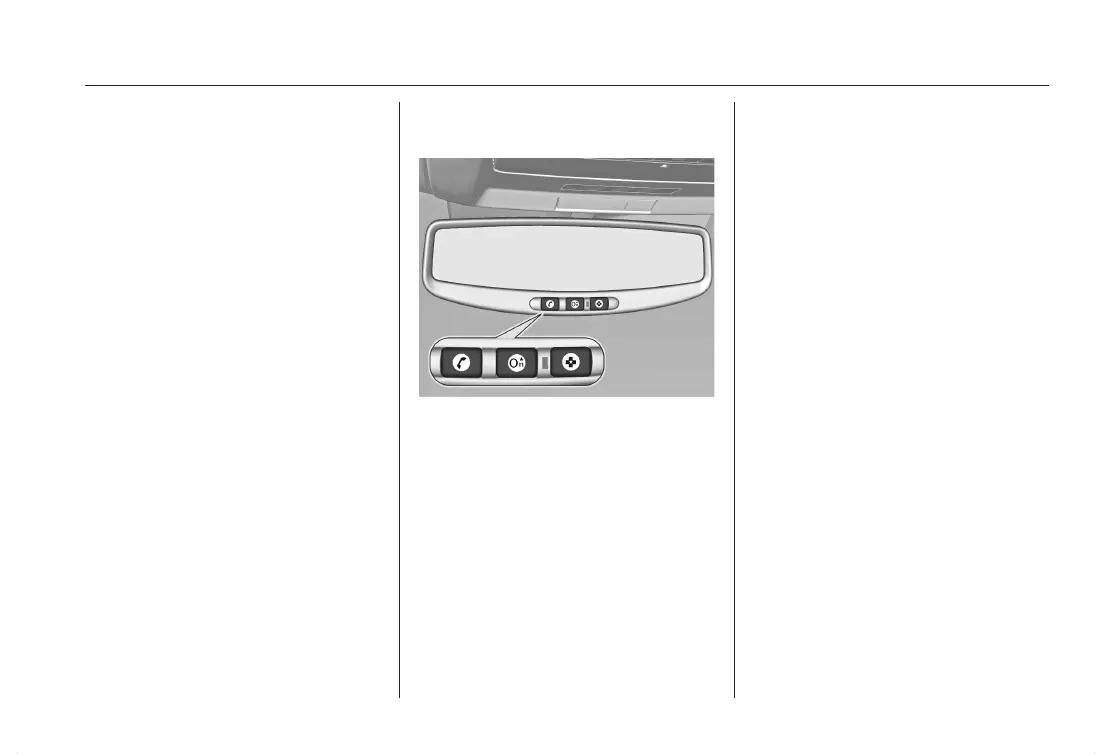
How OnStar® Service Works
u: This blue button connects you to
a specially trained OnStar® advisor to
verify your account information and to
answer questions.
t: Push this red emergency button to
get priority help from specially trained
OnStar® emergency advisors.
v: Push this button for hands-free,
voice-activated calling and to give
voice commands for turn-by-turn nav‐
igation.
Crisis Assist, Stolen Vehicle Assis‐
tance, Vehicle Diagnostics, Remote
Door Unlock, Roadside Assistance,
Turn-by-Turn Navigation and Hands-
Free Calling are available on most ve‐
hicles. Not all OnStar® services are
available on all vehicles. For more in‐
formation see the OnStar® Owner's
Guide or visit www.onstar.com (U.S.)
or www.onstar.ca (Canada), contact
OnStar at 1-888-4-ONSTAR
(1-888-466-7827) or
TTY1-877-248-2080, or press u to
speak with an OnStar® advisor 24
hours a day, 7 days a week.














 To Next Page