140 Climate control
Heated Rear Window Ü
Operation 3 33.
Manual Settings
Climate control system settings can
be changed by activating the buttons
as follows. Changing a setting will de‐
activate automatic mode.
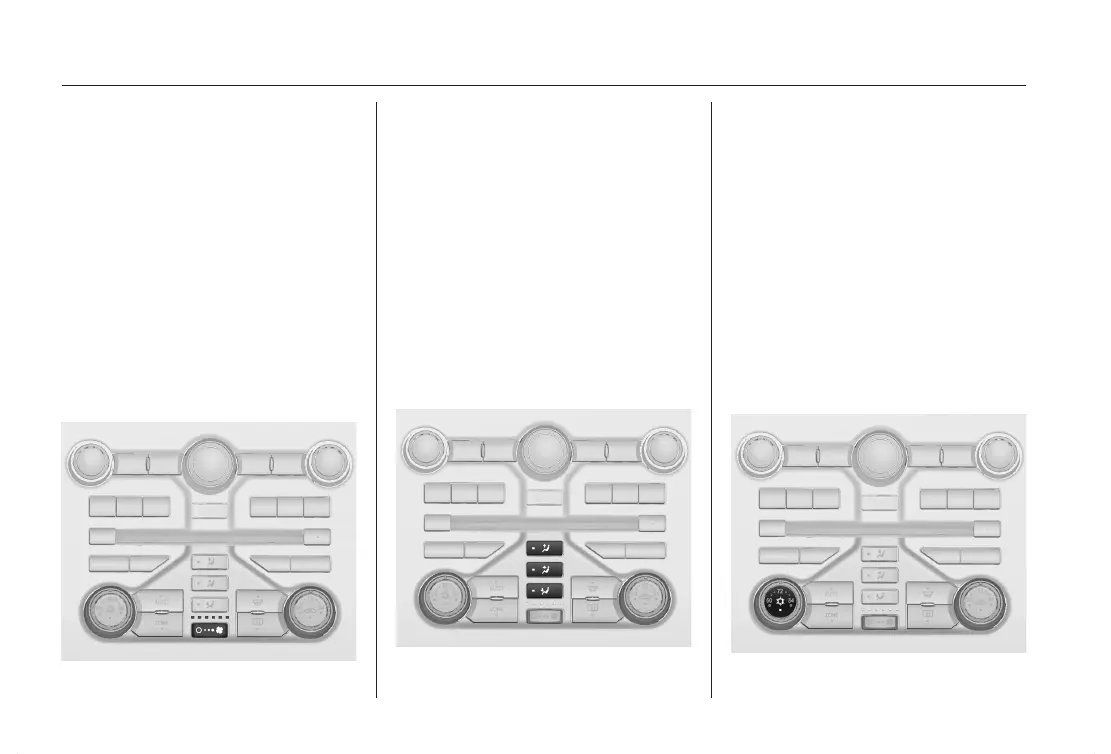
Fan Speed x
Press x on the rocker switch to in‐
crease fan speed or § to decrease.
The fan speed is indicated by the
number of lit LEDs above the rocker
switch.
If you press § longer or multiple
times, the fan and cooling are
switched off, and the air conditioning
system is also deactivated.
If you press x longer or multiple
times, the fan will run at maximum
speed.
To return to automatic mode: Press
the AUTO button.
Air Distribution s M K
Press the s, M, or K button for the
desired adjustment. Activation is indi‐
cated by the LED in the button.
s
= to windshield and front door
windows.
M
= to head area via adjustable air
vents.
K
= to footwell.
Combinations are possible.
Return to automatic air distribution:
Deactivate corresponding setting or
press AUTO button.
Air Conditioning n
Activate or deactivate with the n but‐
ton. Activation is indicated by the LED
in the button.












 To Next Page