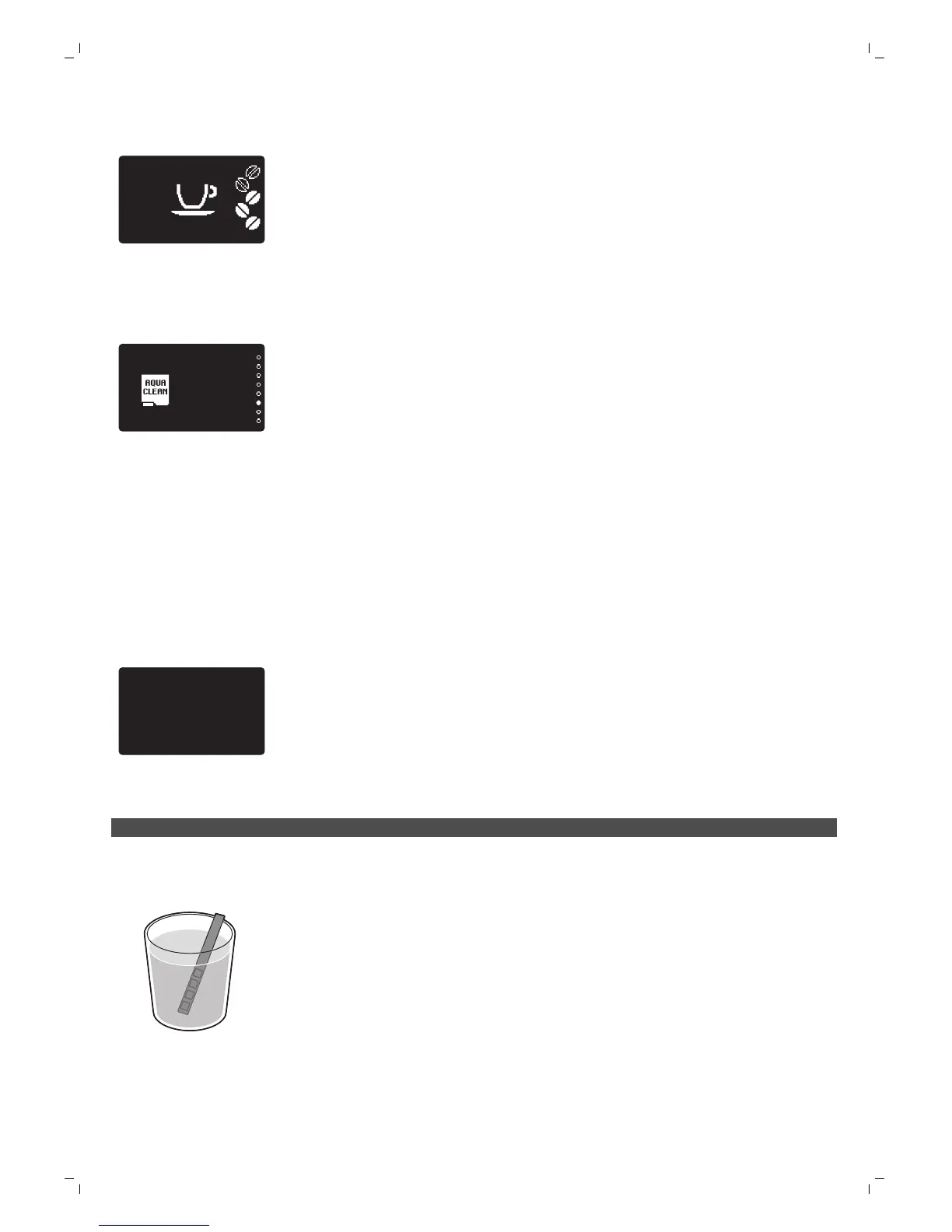
- When the filter icon has disappeared from the display, you have to descale
the machine before installing a new filter.
How to replace the filter
1
Press the MENU/SPECIAL DRINKS button, select MENU and press the OK
button to confirm. Scroll to select 'AquaClean' filter. Press the OK button to
confirm.
-
The display shows the number of AquaClean filters that have been
installed previously from 0 to 8 filters.
2
The display asks if you want to activate a new filter. Press the OK button to
confirm.
3
Follow the instructions on the screen to install the new filter, to fill the water
tank, and to place a container under the coffee dispensing spout and the
steam tube. Press the OK button to confirm each step.
-
The filter activation screen appears with a progress bar showing the
progress of the filter activation.
-
When activation is finished, the display shows a tick to confirm activation.
-
Then the machine ready screen appears with theAquaClean 100% icon
to indicate that the filter has been activated.
Replacing the filter after 8 filters were used
1
When the filter icon starts flashing on the display, press the MENU/SPECIAL
DRINKS button, select MENU and press the OK button to confirm. Scroll to
select the AquaClean filter. Press the OK button to enter the filter menu.
DESCALE BEFORE
ACTIVATING FILTER
-
The display tells you that you need to descale the machine before
activating the new filter.
2
Press the OK button to start the descaling procedure.
-
Press the ESC button several times to leave the filter menu if you do not
want to descale right away.
3
At the end of the descaling procedure, the display asks you if you want to
install the AquaClean filter.
-
Follow the steps in 'Replacing the AquaClean filter'.
Measuring the water hardness
To be able to adjust the machine settings to the water in your region, please
measure the water hardness with the water hardness strip supplied.
1
Immerse the water hardness test strip (supplied with the machine) in tap
water for 1 second.
2
Remove the water hardness strip and and wait for 1 minute.
15
English




 To Next Page