3
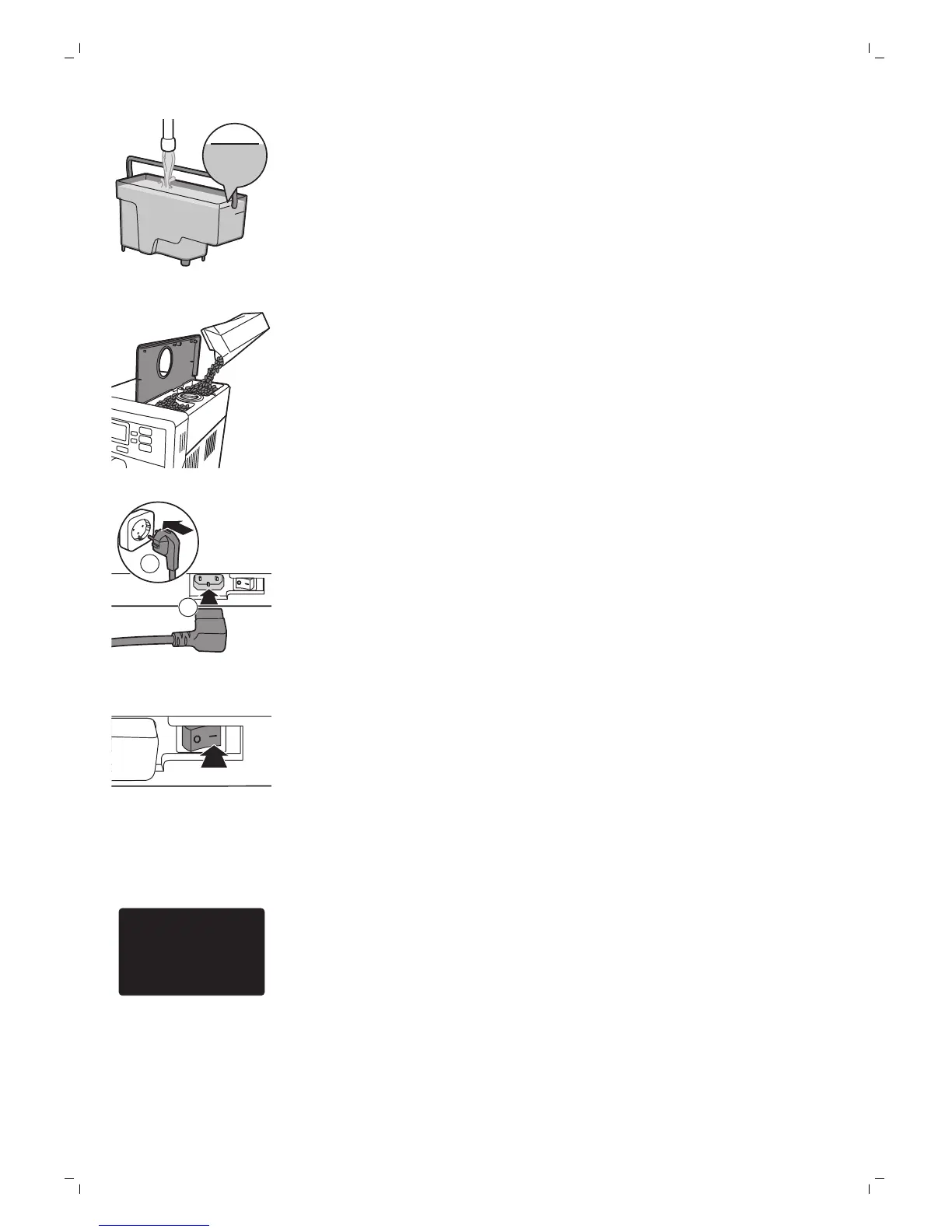
Fill the water tank with fresh water up to the MAX level indication and place
it back into the machine. Press the OK button to confirm.
4
Open the lid of the bean hopper. Fill the bean hopper with coffee beans and
close the lid.
Note:Do not overfill the bean hopper to avoid damage to the grinder.
Caution: Only use espresso beans. Never use ground coffee, unroasted coffee
beans or caramelized coffee beans, as this may cause damage to the machine.
5
Insert mains plug into a wall socket (1) and insert the small plug into the
socket located on the back of the machine (2).
6
Set the main switch to the ON position to switch on the machine.
-
The standby button flashes.
7
Press the standby button to switch on the machine.
8
The display asks you to select your language. Press the OK button.




 To Next Page