30
1 2 3
4
CLOCK SETTINGS
> machine settings > clock settings
To set the current time, date and hour format to display.
machine settings
clock settings
In this menu you can set:
- the current time (hour and minutes)
- the hour format (24 hours - AM/PM)
- the current date (day – month – year – day of the week).
Time setting
> machine settings > clock settings > time settings
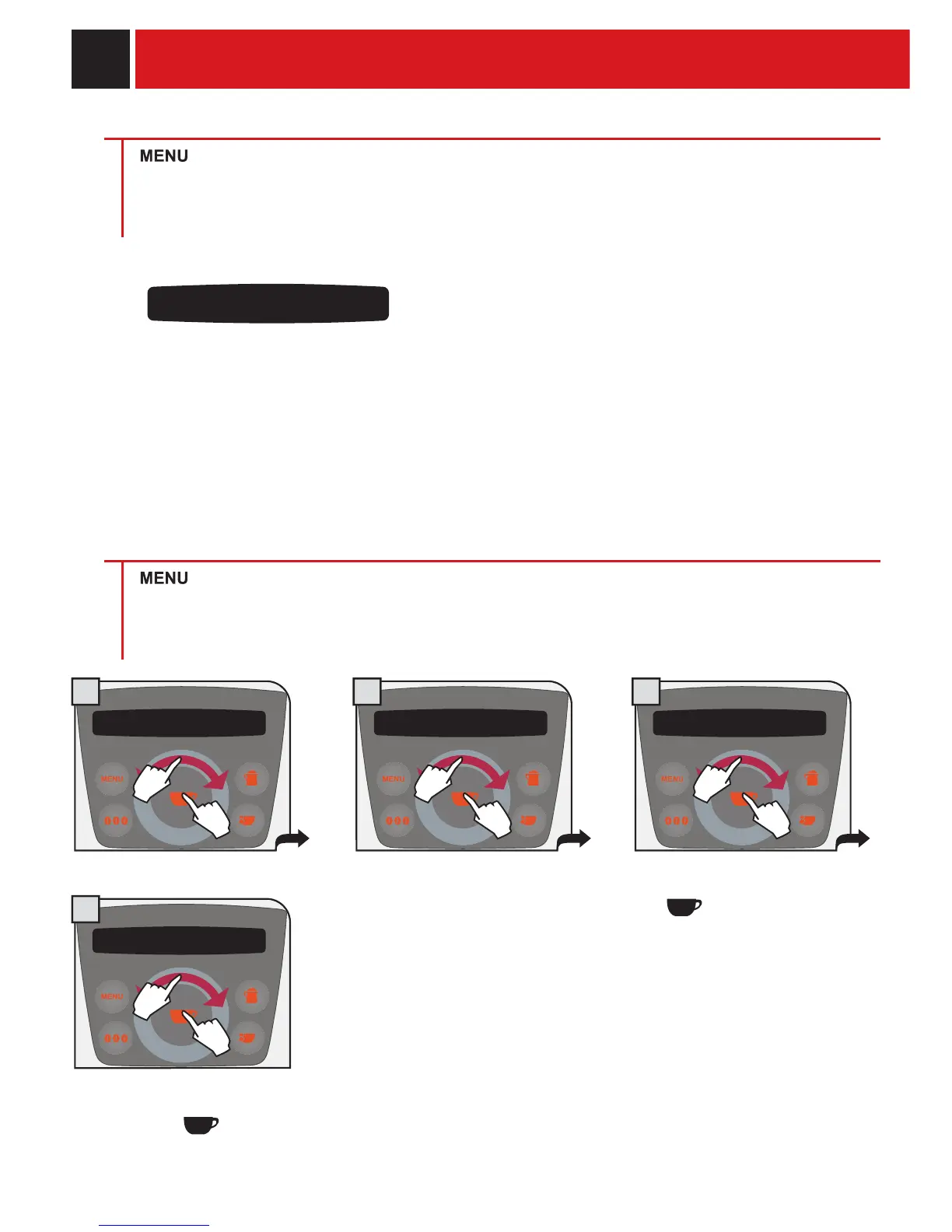
To set the current time on the machine
machine settings
clock settings
clock settings
time setting
- 09h (am) +
time setting
- 43 min +
time setting
Set the minutes by navigating the
click wheel with your fi nger.
Save using the
button.
Set the time by navigating the click
wheel with your fi nger. Save using
the
button.
PROGRAMMING THE MACHINE
1.
2.
1.
2.
1.
2.
1.
2.










 To Next Page