34
1 2 3
4 5
SPECIAL FUNCTIONS
This menu allows you to access special functions present on the machine.
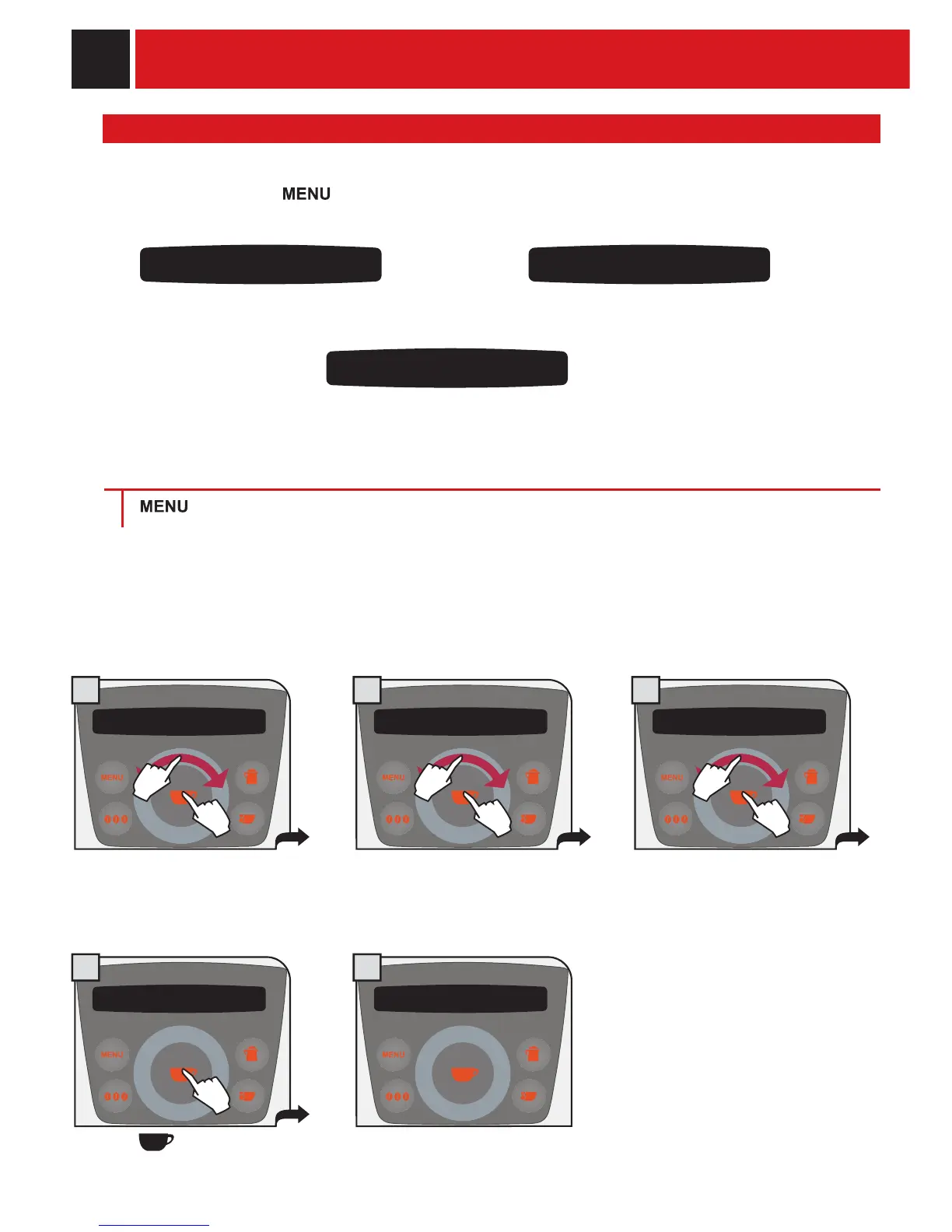
To access, press the
key and select “special functions”. Turn the click wheel with a
fi nger to:
special functions
cancel settings
special functions
coffee of the world
restore the factory settings. prepare coffee according to the
most famous recipes in the world.
DELETING ALL THE SETTINGS
special functions special functions
cancel settings
> special funtions > cancel settings
The function for restoring all the factory settings is contained in this menu. This function is particularly
important for restoring the base parameters.
ALL THE CUSTOM SETTINGS WILL BE LOST AND CANNOT BE RECOVERED. AFTER RESTORING FACTORY
SETTINGS, YOU MUST, IF DESIRED, REPROGRAM ALL THE MACHINE’S FUNCTIONS.
yes
cancel settings
are you sure?
cancel settings
all factory settings
have been restored
If “yes” is selected, a subsequent
confi rmation is requested to be sure
that you want to perform the reset.
Press the
key to reset.
The display shows for 2 seconds the
parameter reset confi rmation.
special function
product counters
Display how many beverage have been
prepared for each single type of beverage.
PROGRAMMING THE MACHINE
1.
2.
1.
2.
1.
2.










 To Next Page