© Safe Fleet | September 2019 | All rights reserved
SSV9 Installation and Setup Guide
23
R2
System Conguration
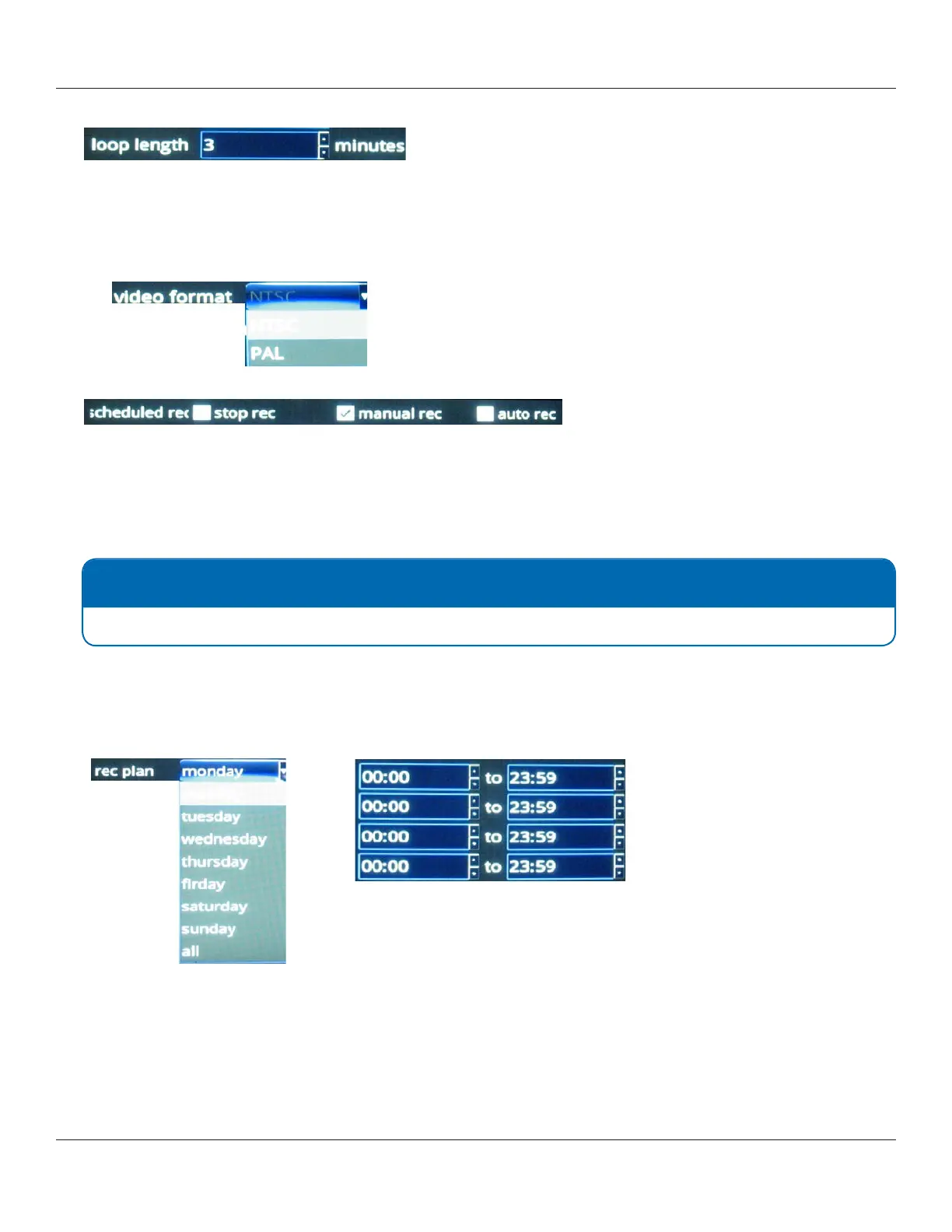
3. Choose a loop length (in minutes) for each video segment.
4. Choose a video format, NTSC or PAL.
• NTSC is the most commonly used video system or standard used in North America and most of South America
• PAL is common in Europe and parts of Asia.
Select the standard appropriate to your regional or technical requirements.
5. Select stop rec, manual rec, or auto rec check boxes as needed.
• Stop Rec stops all recording. Stop Rec allows to congure periods of time when the recording should not be
active.
• Manual Rec sets manual mode recording. In this mode you can set up to 4 schedules daily.
• Auto Rec sets automatic mode recording. In this mode, recording is on at all times.
6. Select a recording plan
The recording plan denes a schedule for manual mode recording.
Use the day-of-the-week menu below in conjunction with the hourly schedule menus to dene up to 4 dierent
schedules per day.
NOTE: Manual recording
For manual recording only. This option is not available for auto recording.



 To Next Page