© Safe Fleet | September 2019 | All rights reserved
SSV9 Installation and Setup Guide
34
R2
System Conguration
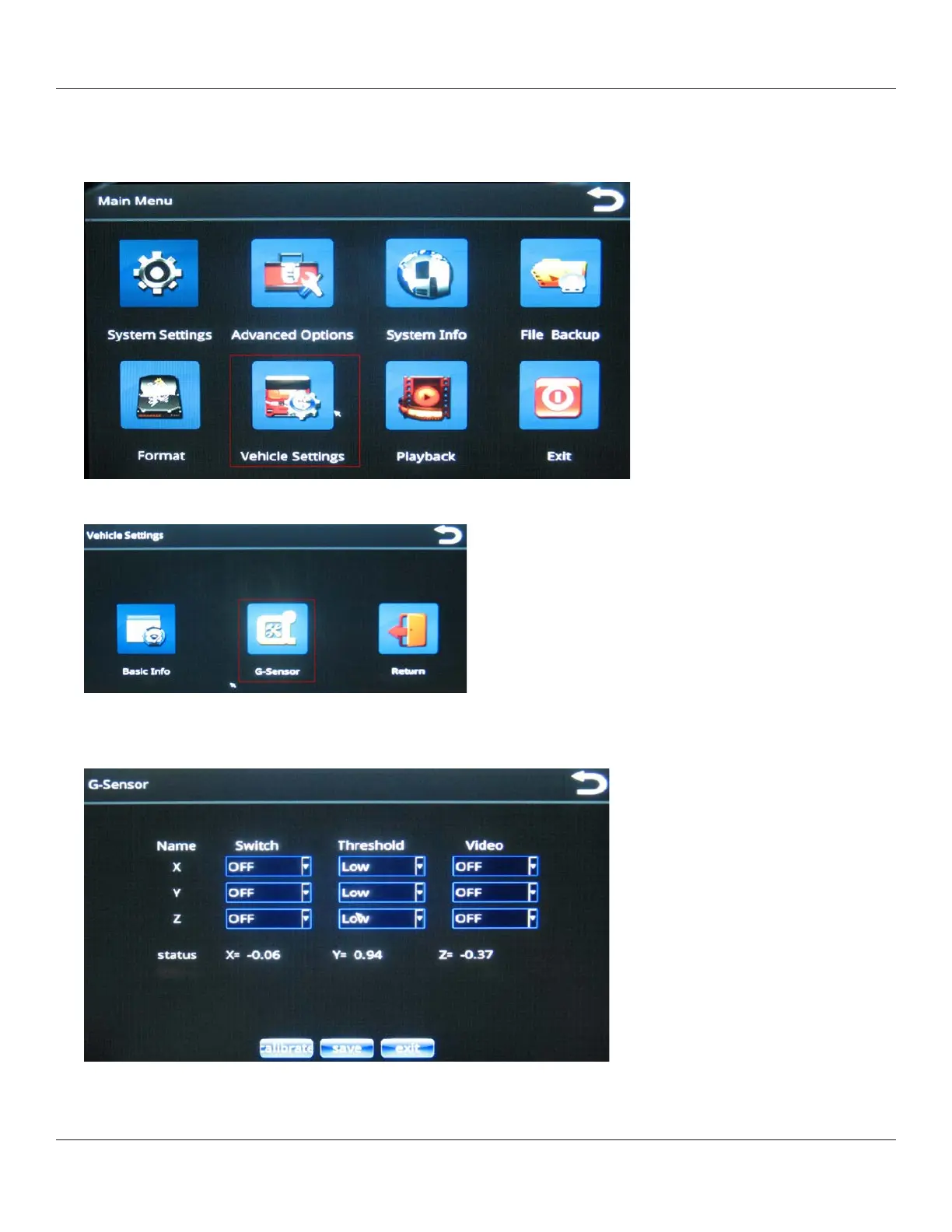
Specifying G-Sensor Settings
1. From the Main Menu, select Vehicle Settings.
2. From the Vehicle Settings menu, select G-Sensor.
The G-sensor menu enables you to specify accelerometer thresholds for the X, Y, and Z axes. These are the
thresholds at which the cameras will detect a sudden change in direction, which could be caused by hard braking or
impact from collision.
3. Make your choices from the menus, and then press Save.



 To Next Page